
Websites & Hosting
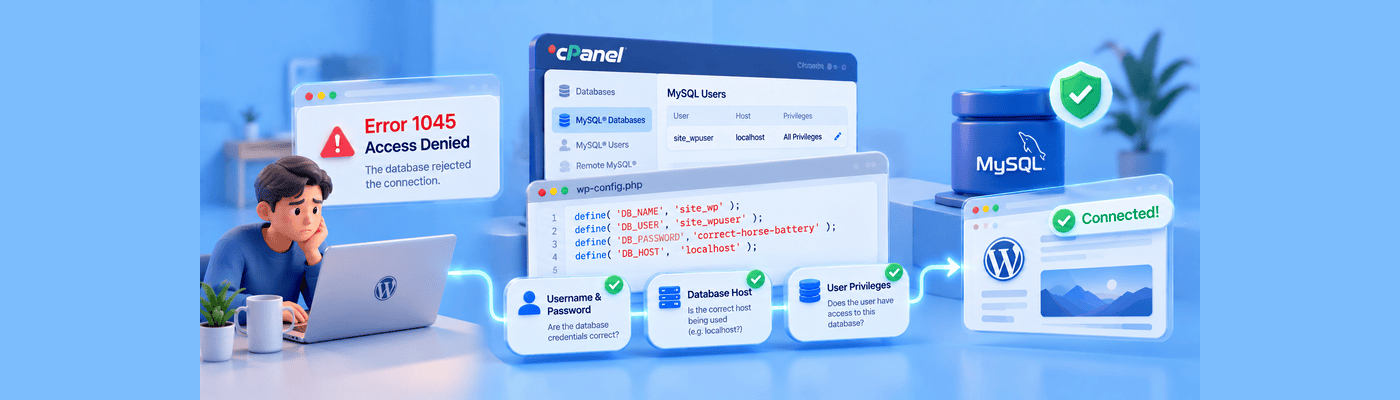
How to Fix MySQL Error 1045 (Access Denied for User)
Learn how to fix MySQL Error 1045 by checking database credentials, user permissions, and WordPress configuration settings in cPanel.
Fresh perspectives and practical advice, all in one place.
Learn how to fix MySQL Error 1045 by checking database credentials, user permissions, and WordPress configuration settings in cPanel.
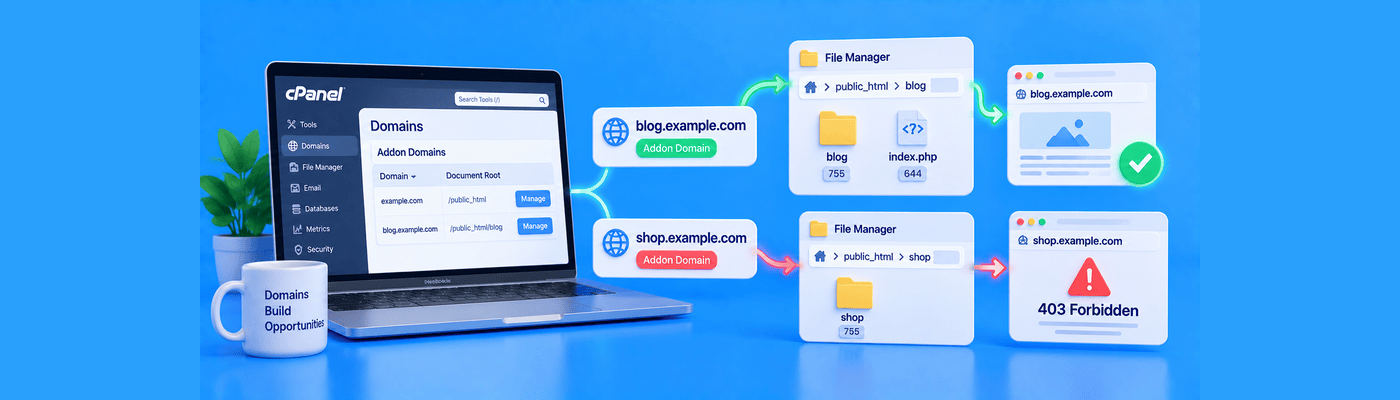
A 403 error on an addon domain often points to a document root, index file, or permissions problem. Learn what to check in cPanel.
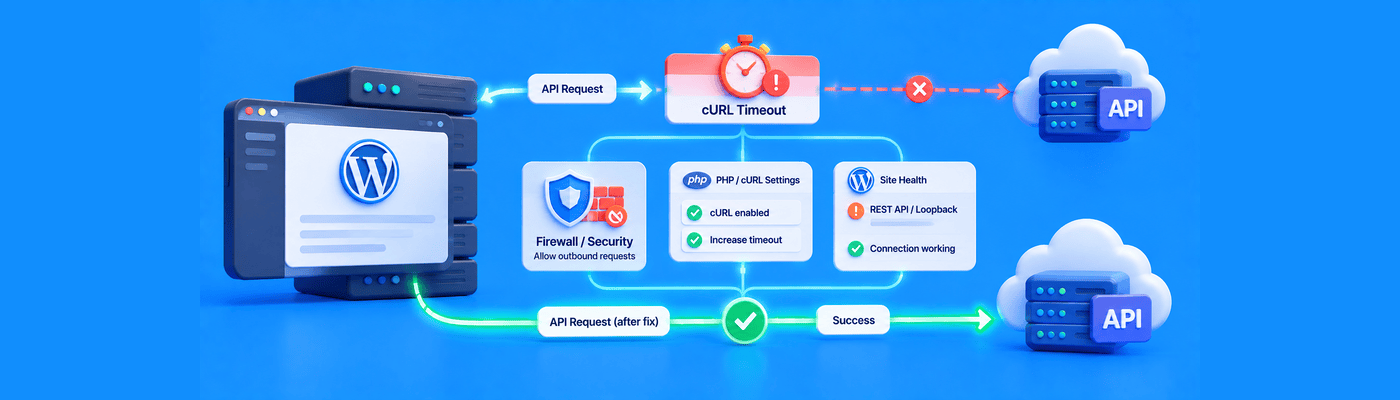
Learn how to troubleshoot cURL error 28 in WordPress by checking external services, plugins, PHP settings, and server-side connection issues.

Learn how to mitigate Layer 7 DDoS attacks using cPanel access logs, IP Blocker, application rate limiting, and external edge protection.
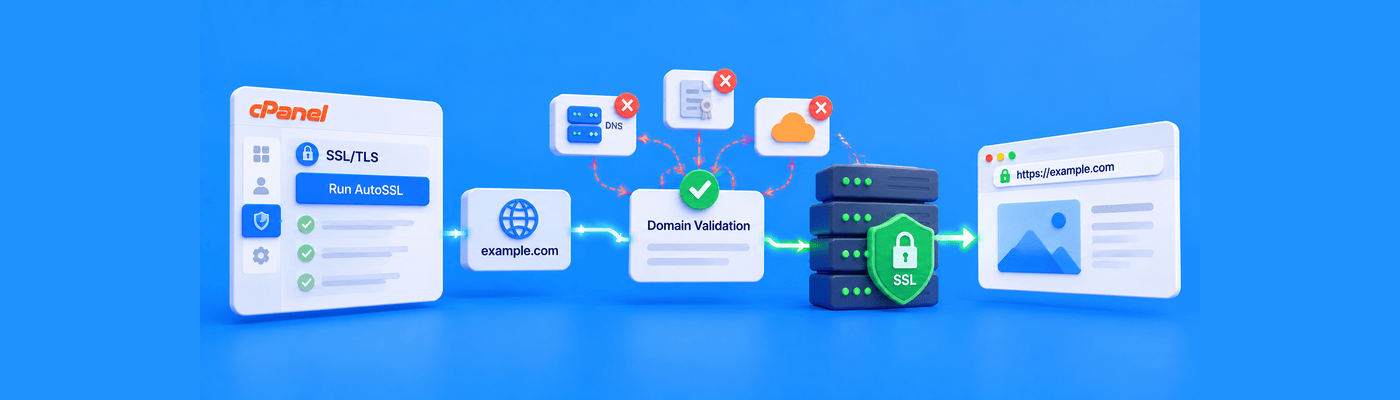
Fix AutoSSL DCV failures by confirming your domain points to your hosting IP or NameSilo's hosting nameservers (ns1.hostsilo.com, ns2.hostsilo.com), deleting any conflicting self-signed certificate in SSL/TLS, then re-running AutoSSL. Free AutoSSL is included on Turbo hosting only; paid SSL is available for other plans.
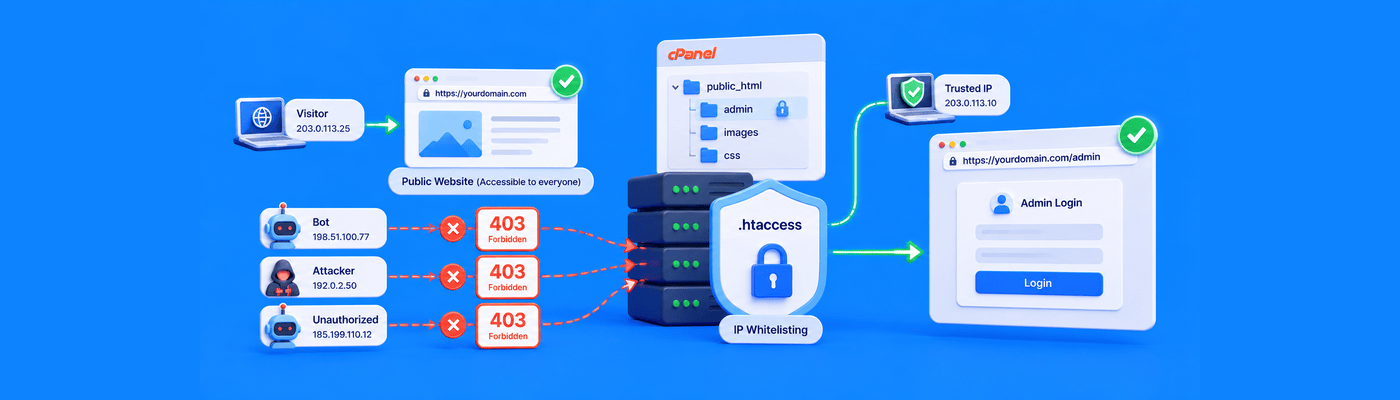
Learn how to secure admin directories with .htaccess IP whitelisting, block unauthorized access, and handle dynamic IP addresses safely.
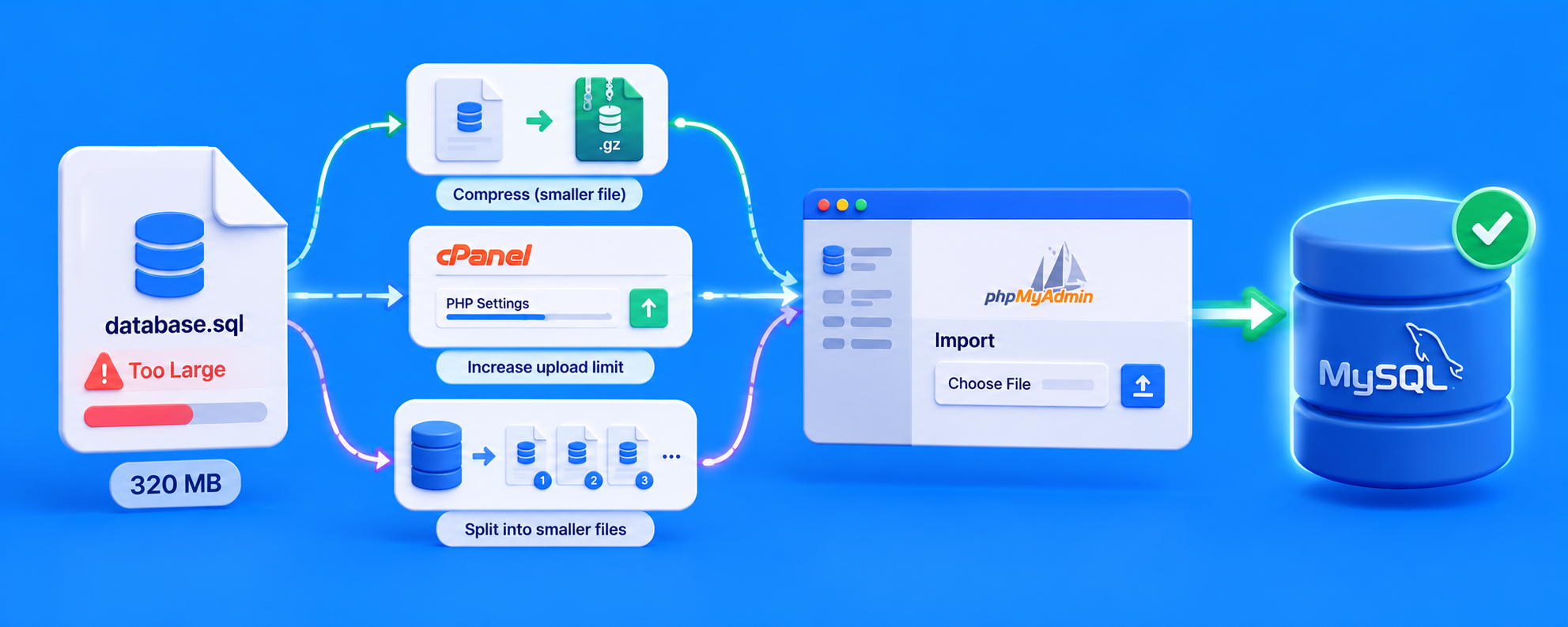
Learn how to import large SQL files in phpMyAdmin by compressing backups, increasing PHP upload limits, or using BigDump without SSH access.
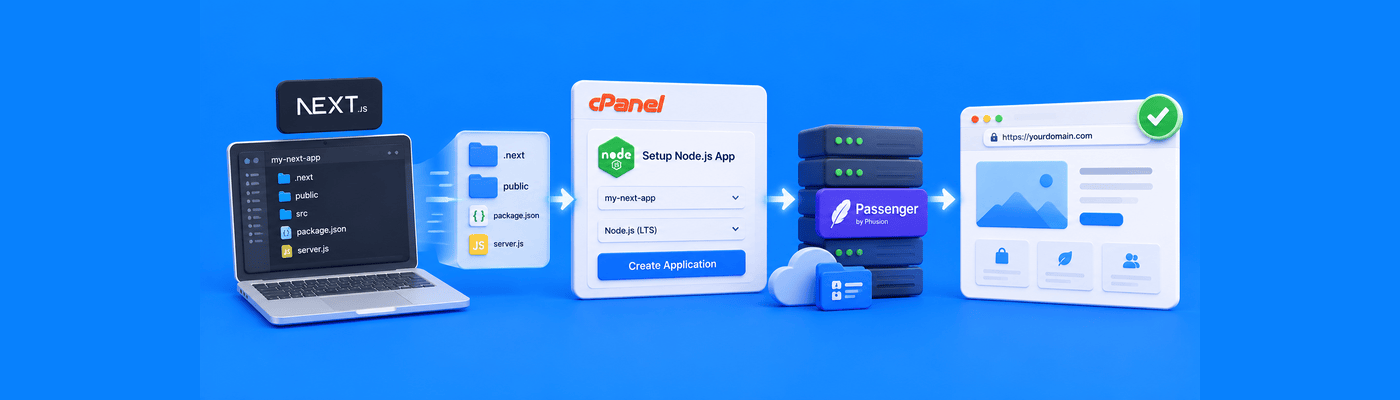
Learn how to deploy Next.js on cPanel using Setup Node.js App and Phusion Passenger, from the local build to server.js and production setup.

Learn how to block bad bots and malicious user agents with .htaccess, return 403 errors, and protect your server from aggressive crawlers.

Fix Chrome’s “Not Secure” warning by installing an SSL certificate, forcing HTTPS, and checking your website for mixed HTTP content.

Enable cPanel's Hotlink Protection (Security section) to block other sites from embedding your images directly. Add your domains and subdomains to the allowed list, and enable blank-referrer requests, not a Googlebot referrer whitelist, since search crawlers request images with no referrer at all, to keep image SEO intact.

Use cPanel's Directory Privacy (Files section) to add HTTP Basic Authentication to any folder via .htaccess and .htpasswd. Never protect public_html itself. If protecting /wp-admin/, whitelist admin-ajax.php, though some AJAX calls may still intermittently break; consider protecting a narrower subdirectory instead.