Troubleshooting 403 Forbidden Errors on Addon Domains
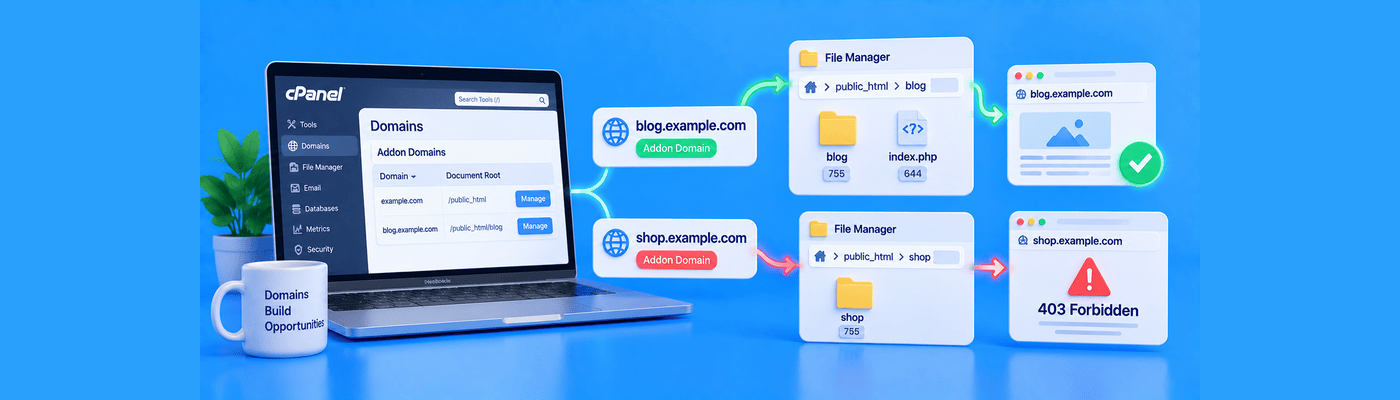
A 403 Forbidden error on an Addon Domain typically occurs because the domain's document root folder was mapped incorrectly, or the directory lacks an index file. To troubleshoot this, verify in cPanel that your Addon Domain is pointing to the correct specific subfolder (not the main public_html), and ensure an index.php or index.html file exists inside that folder.
How cPanel Partitions Secondary Domains
When you add a second domain to a hosting account, cPanel doesn't give it a fully independent hosting slot. Under the hood, it creates the addon domain as a subdomain of your primary domain, then points the addon domain's real DNS at that same structure. Visitors see the clean, standalone domain name, but it's served through this internal subdomain mapping.
This is the entire troubleshooting story: your addon domain's content lives inside a subfolder tied to that internal subdomain, typically public_html/secondsite, not a standalone top-level folder disconnected from the account. Get this mapping wrong, even slightly, and the domain has nowhere valid to resolve to.
Root Cause 1: Misconfigured Document Roots
Since the addon domain is served through its internal subdomain mapping, if that subdomain's document root points to an empty folder, or to a path that doesn't match where you actually uploaded your files, the server has nothing to serve. Depending on server configuration, this shows as a 403 (directory listing disabled, nothing to display) rather than a 404, since the folder itself does exist, it's simply empty or pointed at the wrong location.
Check specifically for: files uploaded to public_html/secondsite while the addon domain's underlying subdomain mapping points somewhere else entirely, a mismatch that leaves the actual domain looking at an empty or wrong directory.
Root Cause 2: Missing Index Files
Even with the correct document root, Apache needs a designated homepage file to serve automatically, index.html or index.php. Without one, and with directory listing disabled (the standard, secure default), the server returns a 403 rather than showing a raw file list to visitors.
This is a deliberate security behavior, not a malfunction. Apache is refusing to expose your folder structure to the public instead of guessing what you meant to show.
Implementation Steps
Step 1: In cPanel, open the Domains section and locate your addon domain in the list.
Step 2: Confirm the Document Root column shows the exact subfolder path you intended, typically public_html/yourseconddomain, and not a mismatched or top-level path.
Step 3: Open File Manager and navigate to that exact folder. Confirm your site's files, including an index.html or index.php, are actually present there.
Step 4: Right-click the folder and check permissions. Directories should be set to 755; individual files should be 644.
Step 5: If ownership looks wrong (files owned by a different user than your hosting account), contact support to correct it, since Apache will refuse to serve files it doesn't recognize as belonging to your account.
Common Mistakes
Uploading the second site's files into the primary domain's public_html root by mistake: This is the most common addon domain error. Files meant for secondsite.com end up sitting directly in public_html instead of the public_html/secondsite subfolder, jumbling both codebases together and leaving the addon domain's actual folder empty.
Assuming the addon domain gets a fully independent hosting slot: It doesn't. Addon domains are served through an internal subdomain mapping tied to the primary account's public_html, never a genuinely separate root-level structure.
What This Means for You
NameSilo Hosting gives you full cPanel access, including the Domains interface and File Manager, everything needed to verify and correct document root mappings directly.
Frequently Asked Questions
Why is my new addon domain showing a 403 error?
Usually a wrong document root path or a missing index file in that folder.
How do I fix a 403 forbidden error in cPanel?
Verify the document root, confirm an index file exists, and check permissions.
What is a document root for an addon domain?
The subfolder inside public_html tied to the domain's internal subdomain mapping.
How do I create an index.html file?
Create a blank file named exactly index.html inside the correct document root.
Are addon domains hosted on the same IP address?
Yes. Addon domains share the primary account's IP and server resources.
What should folder permissions be in cPanel?
755 for directories, 644 for individual files.
How do I separate two websites on one hosting account?
Each addon domain gets its own subfolder; keep file structures fully separate.
Does NameSilo allow unlimited addon domains?
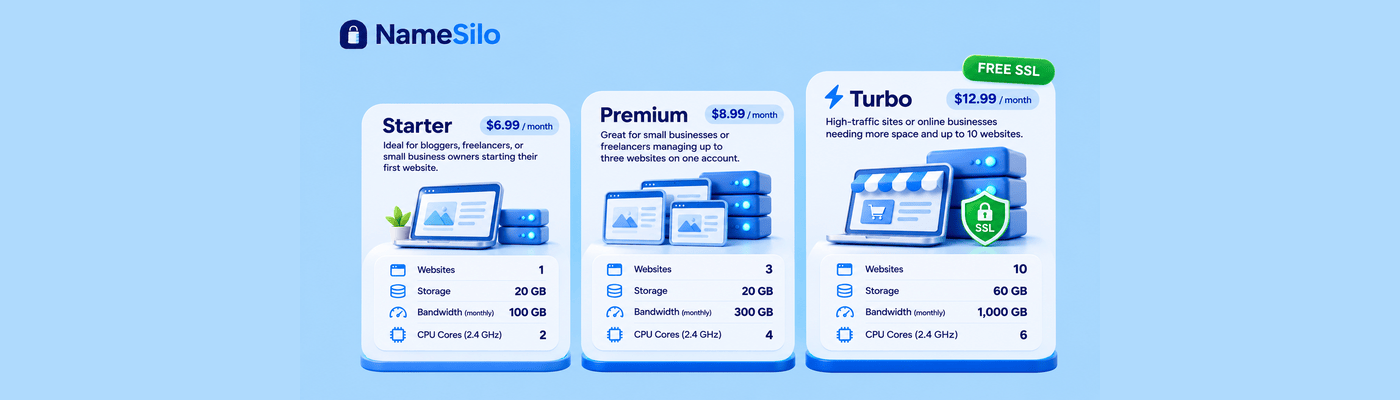
No. Addon domain limits scale by plan: 0 on Starter, 2 on Premium, 9 on Turbo.
NameSilo Staff
The NameSilo staff of writers worked together on this post. It was a combination of efforts from our passionate writers that produce content to educate and provide insights for all our readers.