Configuring Domain Defender Challenge Questions

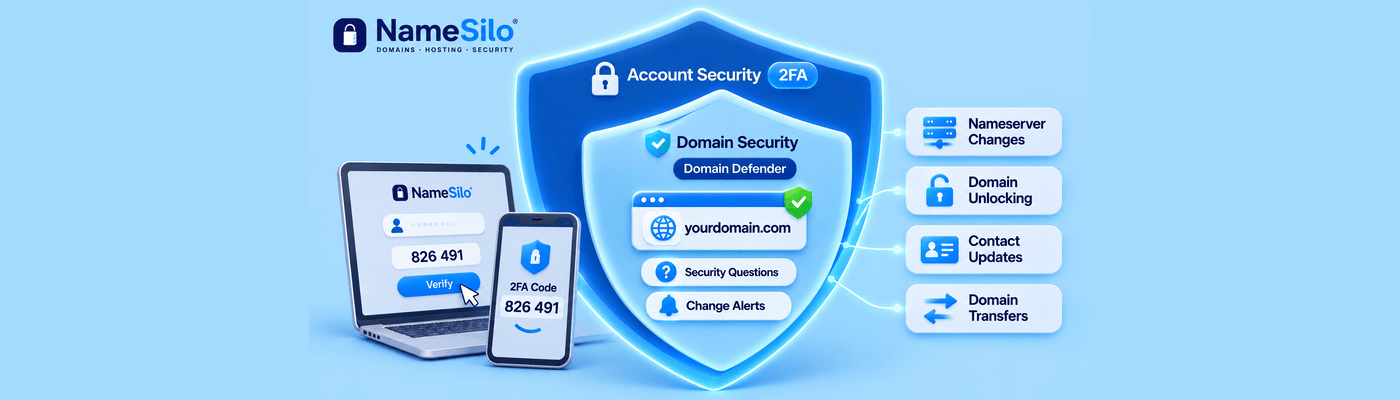
To stop someone changing your domains from an open session, enable Domain Defender. This free service requires your security answers before changes such as unlocking a domain, updating contacts, or requesting a transfer authorization code. Open Domain Defender in your account security settings, choose up to five questions, set unguessable answers, and save.
What Is Action-Level Authentication?
Login protection guards the front gate. Action-level authentication guards the rooms inside. With Domain Defender on, a signed-in session is not enough. Each domain change also needs your security answers, so someone sitting at your unlocked laptop still cannot move your domains.
Layer | What it protects |
Login and 2FA | Who can sign in to your account |
Domain Defender | What a signed-in session can change |
Why It Matters: Session Hijacking
Malware can copy the cookie that proves you are signed in. An attacker who replays it arrives already logged in, so the password and the 2FA prompt never appear. Leaving a browser unattended at a coffee shop opens the same gap.
Domain Defender adds another barrier after login. Even if someone gains access to an authenticated session, protected domain changes still require the answers to all of the Domain Defender questions you selected.
Setting Up the Questions
Log in and open Domain Defender in your account security settings.
Select up to five security questions.
Enter an answer for each one.
Turn on Proactive Notification and choose your alerts.
Save your settings. Domain Defender then applies to domain changes within the account.
Every question you select must be answered to complete a change, so pick only questions you can manage.
What Actions Are Protected?
Domain Defender works in two layers.
Layer | How it works |
Security questions | Required to complete changes to your domain names, such as unlocking a domain, updating contacts or WHOIS data, and requesting a transfer authorization code |
Proactive Notification | Email and/or text alerts for nearly 15 change types, including nameserver changes, lock changes, contact updates, and transfer code requests |
You choose which changes trigger an alert. Turn on the transfer-related ones first.
Common Mistakes
The biggest mistake is answering with facts others can find. A mother's maiden name or a first pet's name can be scraped from social profiles. Treat each answer like a password. If a question asks for your favorite color, do not type "Blue". Enter a random string of letters and numbers instead. Answers do not have to be true, only unguessable.
That creates a second risk: we encrypt your answers and cannot retrieve them. Store them in a password manager, not in memory alone.
Other mistakes: reusing one answer for every question, skipping Proactive Notification, and assuming 2FA alone is enough.
What This Means for You
Domain Defender is free, and a few minutes of setup protects every domain in your account. Pair it with 2FA and registrar locks. Read our Domain Defender guide and set it up before your next trip.
If you lose your answers, our recovery guide explains how to deactivate and start again.
Frequently Asked Questions
What is NameSilo Domain Defender?
A free security service that requires your security answers for domain changes and sends alerts about change requests.
How do I secure my domains from being transferred?
Enable Domain Defender, keep registrar locks on, and turn on alerts for lock changes and transfer code requests.
What is session hijacking malware?
Malware that steals your active login cookie so an attacker arrives signed in, bypassing the password and 2FA.
What actions trigger a Domain Defender question?
Changes to your domain names, such as unlocking, updating contacts, and requesting a transfer authorization code.
How should I choose Domain Defender security answers?
Choose answers that cannot be guessed or discovered from public information. NameSilo encrypts the answers and cannot retrieve them if you forget them, so store them securely.
How do I change my Domain Defender answers?
Deactivate Domain Defender from the Status menu using your password and current answers, then set it up again with new ones.
What happens if I forget my Domain Defender answers?
You cannot change your account or domains until you deactivate it. Use your password plus the emailed 10-character code and your main security answer.
Is Domain Defender better than 2FA?
They do different jobs. 2FA protects login, and Domain Defender protects actions inside the account. Use both.
NameSilo Staff
The NameSilo staff of writers worked together on this post. It was a combination of efforts from our passionate writers that produce content to educate and provide insights for all our readers.