
Domain Defender vs. 2FA: Layered Security for Domain Portfolios
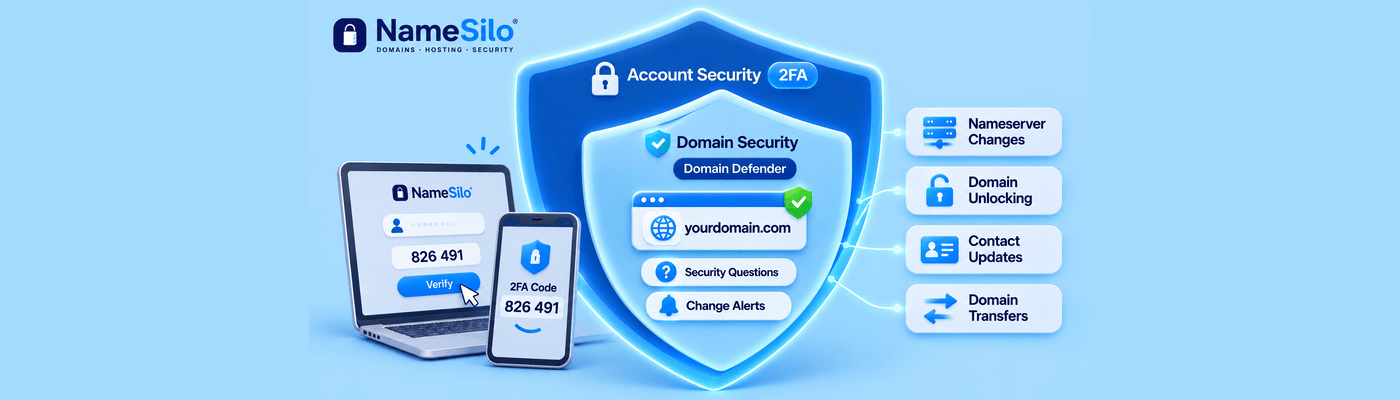
Standard 2FA secures the front door of your NameSilo account by requiring an authentication code at login. Domain Defender works after login. It requires up to five security-question answers before domain changes such as unlocking, nameserver edits, contact updates, and transfers go through, and it sends alerts when changes are requested.
Authentication at the Gate vs. Authorization at the Asset
Two-factor authentication verifies who is logging in. Our 2FA is app-based and free. Domain Defender verifies who may change a domain once someone is inside, and it is also free. We recommend using both.
Layer | What It Protects | Challenge |
Login 2FA | Entry to the account | Authenticator app code |
Domain Defender | Domain changes inside the account | Up to 5 security questions plus change alerts |
The Session Hijacking Threat
Infostealer malware runs on a victim's computer and harvests browser-saved passwords and session cookies. A session cookie is proof that a login, including its 2FA step, already happened. An attacker who imports a stolen cookie into their own browser lands in an open dashboard and never sees a password prompt or a 2FA code. Recorded Future's Insikt Group documented this MFA-bypass technique in 2022, noting that stolen cookies are often valid for extended periods.
Our own 2FA guide includes a related caution. The "Verify this computer" option sets a browser cookie that skips the code on future logins, so anyone with access to that browser can log in without it.
Action-Level Authorization
Domain Defender does not depend on how the session began. Once it is enabled, your security-question answers must be correct before domain-affecting changes execute, even inside an authenticated session. A hijacked session cannot complete protected changes without answers the attacker has never seen.
Domain Defender has a second layer, Proactive Notification. It sends email or text alerts when selected change requests are submitted. Alerts inform you, while the questions block the change.
Protected Operations Breakdown
Domain Defender covers nearly 15 types of domain changes. The operations our guides document include:
Locking and unlocking domains
Changing nameservers
Updating contacts and WHOIS data
Requesting transfer authorization codes
Executing transfers
Review the change types you can select in your Domain Defender settings.
Common Security Blindspots
A password manager protects credentials, but it cannot protect a stolen cookie. Enabling 2FA and stopping there leaves the post-login layer empty, which is exactly where session theft operates. Other gaps include guessable answers, ignored alerts, and "Verify this computer" on shared machines.
What This Means for You
Turn on 2FA from your Account Maintenance page using any authenticator app, following our two-factor authentication guide. Then enable Domain Defender, choose up to 5 questions only you can answer, and turn on Proactive Notification, as described in the Domain Defender guide. Both are free, and together they cover the account and the assets inside it.
Frequently Asked Questions
What is NameSilo Domain Defender?
A free feature that requires security-question answers before domain changes and sends alerts when changes are requested.
How does Domain Defender differ from standard 2FA?
2FA checks identity at login. Domain Defender checks authorization for changes after login.
Can a hacker steal my domain if I have 2FA enabled?
Possibly, if malware steals your active session cookie. Domain Defender adds a barrier that cookie cannot satisfy.
What is session cookie hijacking?
An attacker copies the cookie proving your login and reuses it, skipping the password and 2FA prompts.
What actions does Domain Defender protect?
Documented ones include locking, unlocking, nameserver changes, contact updates, auth code requests, and transfers.
Is Domain Defender free at NameSilo?
Yes. We include it free with every account.
What happens if I forget my Domain Defender security answers?
You can deactivate it using your password plus your main account security question and an emailed 10-character code. Further verification applies if you cannot do that.
How do I enable Domain Defender?
Open Domain Defender in your account, choose up to 5 questions, enter answers, enable notifications, and save.
NameSilo Staff
The NameSilo staff of writers worked together on this post. It was a combination of efforts from our passionate writers that produce content to educate and provide insights for all our readers.