The Intricacies of WordPress Setup: What Does the One-Click Install Do?

WordPress powers over 40% of all websites on the internet today. But despite its popularity, many people are unclear about what actually happens when you hit that magical "Install WordPress" button. The phrase “one-click install” makes it sound simple, and it is from a user’s perspective, but beneath that convenience lies a complex sequence of automated actions that turn a blank hosting environment into a functioning website.
Let’s take a closer look at what goes on behind the scenes after you start a one-click WordPress install, from creating databases to generating sample content and security configurations.
What Happens After You Click "Install WordPress"
When you initiate a one-click WordPress installation, several key technical operations kick off immediately, things that would otherwise require manual configuration and a fair bit of technical knowledge.
1. Database Creation and Configuration
The installer sets up a MySQL (or MariaDB) database. This is where your entire site’s content will live, posts, pages, settings, users, and more. It also creates the necessary tables and populates them with initial data structures to get things started.
2. Uploading Core WordPress Files
The core WordPress software files are copied to your selected directory on the server. This includes folders for themes, plugins, admin functions, and the files responsible for rendering your site and managing user activity.
3. Generating the Configuration File
A file named wp-config.php is created and configured. This file contains your database credentials, authentication keys, and various critical settings that help WordPress run securely and efficiently.
4. Executing the Installation Script
The famous five-minute install script is automatically triggered. It connects all components, database, files, and configuration, and completes the initial site setup.
In short, it’s not just "copying WordPress." The system is building an environment where your site can run, grow, and stay secure.
The Default Content Created by WordPress
Once WordPress is installed, you don’t start with a completely empty site. The platform includes a few pre-configured elements to guide users and demonstrate how content is structured.
Initial Content
- A default blog post titled “Hello World!”
- A sample page labeled “About”
- A basic comment on the default post
- A placeholder category called “Uncategorized”
Themes and Plugins
You’ll also get:
- One or more starter themes (currently, Twenty Twenty-Three is the default)
- A plugin called Akismet for spam filtering
- Another plugin named Hello Dolly, a simple demonstration plugin that adds random lyrics to your dashboard
These default elements give you a foundation to begin customizing your site, rather than starting completely from scratch.
The Database Architecture Behind Your Site
One of the most important but invisible parts of the WordPress installation is the database structure it creates.
WordPress Default Tables
The setup creates 12 default database tables, including:
- wp_users and wp_usermeta for account information
- wp_posts and wp_postmeta for all your content and metadata
- wp_comments and wp_commentmeta for handling site feedback
- wp_terms, wp_term_taxonomy, and wp_term_relationships to manage categories and tags
- wp_options for all site-wide settings
- wp_links for blogrolls (now mostly obsolete)
- wp_termmeta for extra taxonomy-related data
Understanding how WordPress organizes its data can help you troubleshoot issues and even build custom features later on.
The Hidden Layer: Server and Security Setup
Even though you don’t see it, the one-click installer ensures your hosting environment is properly set up to support WordPress.
LAMP Stack Alignment
Your server is pre-configured with the essentials:
- Linux as the operating system
- Apache or Nginx to handle web traffic
- MySQL or MariaDB to manage the database
- PHP to execute WordPress code
These components work together to deliver your site to users. Without them, WordPress can’t function.
Security Initialization
During installation, the system adds key security measures:
- Unique salts and security keys in wp-config.php
- File permission settings that prevent unauthorized access
- An .htaccess file for basic web server protection
- Database access limits and defaults to prevent exposure
All of this happens automatically, protecting your site from day one.
Post-Installation Essentials
After installation completes, you’ll want to take care of a few basic setup steps to personalize and secure your site.
Key Tasks
- Update site title, tagline, and time zone
- Configure permalinks for clean URLs
- Install essential plugins like SEO tools, performance enhancers, and security features
- Choose and customize your theme
- Create core pages like Home, Contact, and About
- Set up navigation menus for easy access
These steps bring your site from a default shell to something more personalized and functional.
Troubleshooting Common Issues
Even with automation, problems can sometimes occur.
Common Problems
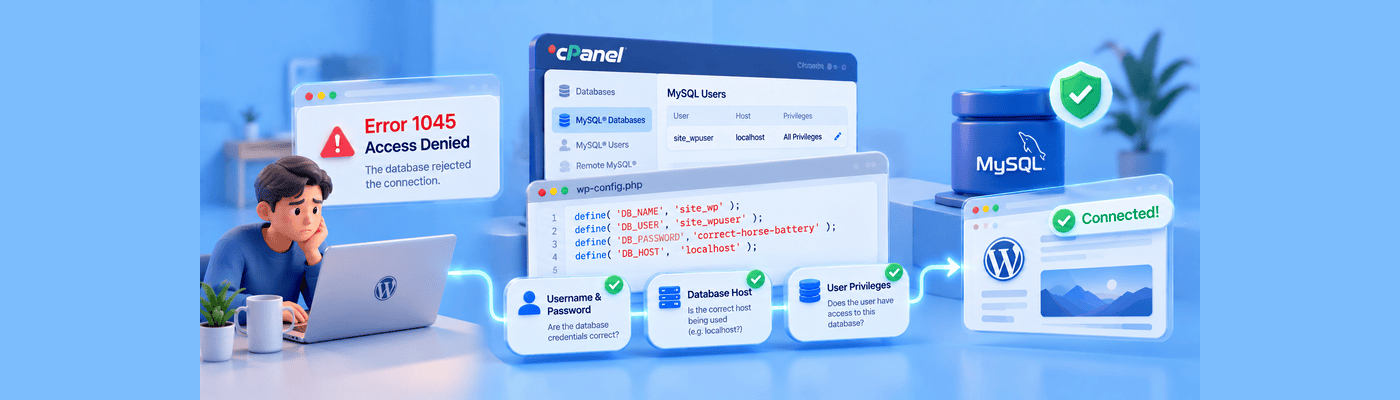
- Database connection errors: Usually due to incorrect credentials in wp-config.php
- White screen of death: Can result from memory limits or conflicting plugins
- Permission issues: May block WordPress from creating or editing files
- Missing tables or content: Could indicate a failed step in the installation process
Knowing what happens behind the scenes makes it easier to diagnose and fix these problems if they arise.
Why It Matters
Understanding what goes on during a one-click WordPress install can boost your confidence and help you make better decisions when building or managing your site. Whether you’re adding custom features, improving performance, or just troubleshooting, having a sense of what’s under the hood puts you in control.
Even though the process is mostly automated, you still benefit from knowing how your hosting environment, database, and file structure come together to form a complete website.
Final Thoughts
The one-click WordPress install may seem effortless, but it hides a surprisingly intricate series of actions that set up a fully functional website in minutes. From database creation to core file uploads and basic security configurations, it handles the hard part so you can focus on what really matters, building your site.
As web hosting and WordPress itself continue to evolve, this process will only become more efficient. But the core principles of what happens after you click “Install” will remain important for every site owner to understand, whether you're managing a personal blog or scaling a business website.
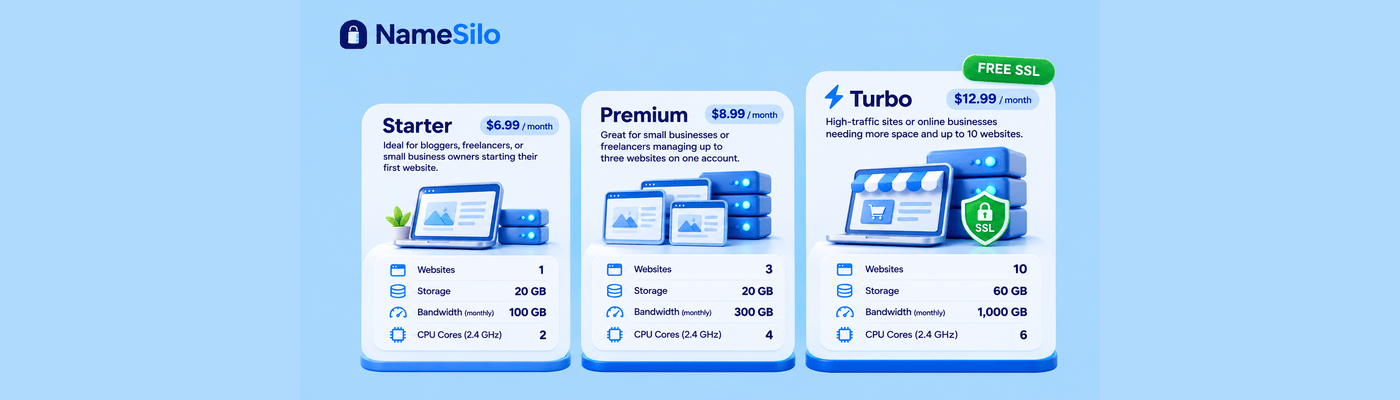
Curious what happens when you click that “Install WordPress” button? It’s more than just magic—it’s automation backed by solid infrastructure. Behind the scenes, reliable hosting is doing the heavy lifting. That’s why choosing NameSilo’s hosting plans that scale with your needs is key. With one-click WordPress installs, built-in security, and optimized environments, NameSilo helps you launch faster and manage your site with confidence—even if you don’t speak tech.
NameSilo Staff
The NameSilo staff of writers worked together on this post. It was a combination of efforts from our passionate writers that produce content to educate and provide insights for all our readers.