Maximizing Titan Email: Read Receipts & Send Later
Titan Email includes productivity features for business professionals. Read receipts notify you in real time when a client opens your email, and Send Later lets you write on Sunday night and deliver on Monday morning. On NameSilo, Send Later and unlimited read receipts come with the Premium plan and above.
What Are Read Receipts and Send Later?
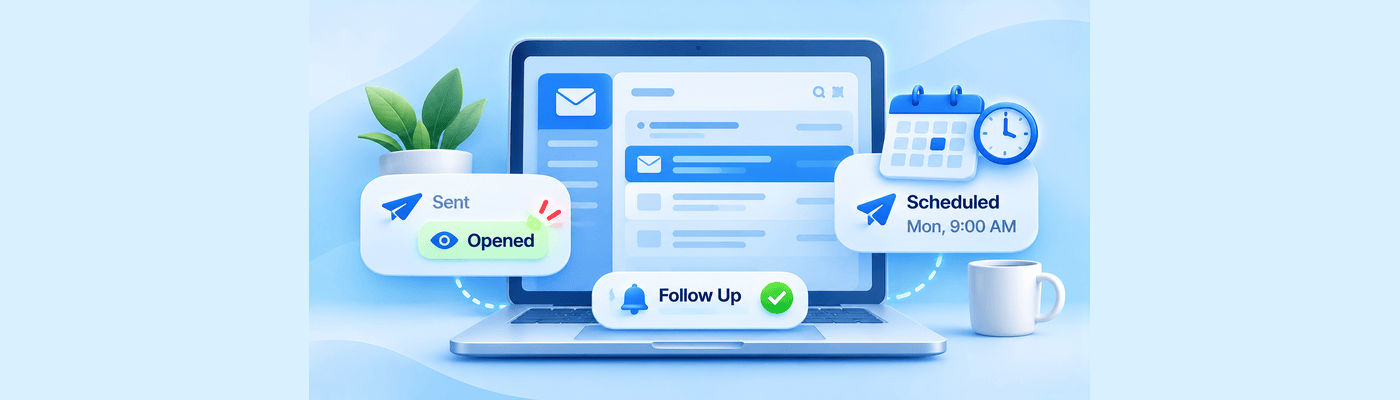
Two features move a mailbox beyond basic sending. Read Receipts provide signals about when recipients open your messages, while Send Later lets you choose when your emails are sent. Together, they give small businesses greater control over communication and follow-ups without relying on separate email tracking extensions.
Availability depends on the plan. Starter lists neither feature. Professional includes 10 read receipts. Premium adds unlimited read receipts, Send Later, and Follow-up Reminders, and Ultra adds file and link tracking.
Why It Matters
Timing shapes how a pitch is received. Titan itself suggests pairing the two, using receipts to learn when key contacts tend to open email, then scheduling messages for those windows. That replaces guesswork with evidence.
The Read Receipt Tracker
On supported Titan plans, email tracking is enabled by default for outgoing messages, but you can disable it globally or for individual emails. You can change it in Preferences or with the eye icon while composing a message. Click the eye icon in the inbox to see notifications, or open a sent message to see whether and when it was read. When you email several people, each gets a separate receipt.
Open tracking of this kind generally relies on a tiny invisible image that loads when a message is opened. That creates two blind spots:
Missed opens: Clients that block images can hide a real read.
False opens: Apple Mail Privacy Protection preloads images, so an open may not mean a person read anything.
Treat a receipt as a signal, not proof. Email tracking also comes with privacy responsibilities. Depending on applicable privacy laws, you may need the recipient's consent before using tracking pixels. Titan allows you to disable tracking globally through Preferences or individually when composing an email, giving you control over when it is used.
The Send Later Scheduler
Click New email and compose your message.
Open the arrow beside Send and choose Send Later.
Pick Tomorrow, Monday morning, or a custom date and time.
Edit it later from the Scheduled folder.
The mobile apps offer the same option under Schedule send or Send Later.
For business owners, scheduling creates a separation between when they work and when they communicate. You can prepare a proposal on Sunday evening and schedule it to be sent at 9:00 AM on Monday in your client's time zone. You get the work done when it suits you without unnecessarily interrupting someone else's weekend.
Common Mistakes
Overusing follow-ups. An open does not mean readiness to talk. Give the client time to process before you call.
Reading opens as intent. Blocked images and preloading distort the data.
Ignoring time zones. A 9:00 AM send is only right for the recipient's morning.
Scheduling blind. Send yourself a test first, and check the Scheduled folder.
What This Means for You
For businesses that regularly send proposals, quotations, and client follow-ups, Titan Premium offers unlimited read receipts, Send Later, and Follow-up Reminders from $4.49 per mailbox per month when billed annually. Professional starts at $2.49 per mailbox per month when billed annually and includes limited read receipts for lighter tracking needs. Compare the available plans on our Titan Email page.
Frequently Asked Questions
Does Titan Email have read receipts?
Yes. Professional includes 10, and Premium and Ultra include unlimited read receipts.
How do I know if someone read my email in Titan?
Click the eye icon in your inbox, or open the sent message to see when it was read.
Can I schedule an email to send later?
Yes, on Premium and Ultra. Use the arrow beside Send, then choose Send Later.
What is email pixel tracking?
A tiny invisible image that records when it loads. Blocked images and Apple preloading can distort it.
Is Titan Email good for business sales?
For small teams, yes. Receipts, scheduling, and reminders help, but it is not a full CRM.
How do I turn on read receipts?
They are on by default. Adjust them in Preferences or with the eye icon while composing.
Can I edit or cancel a scheduled email in Titan?
Yes. Open the Scheduled folder and select the email you want to change. You can edit the message, reschedule it, send it immediately, or delete it before it is sent.
How do I get Titan Email at NameSilo?
Choose a plan on our email page, then manage mailboxes from Email Manager's Titan tab.
NameSilo Staff
The NameSilo staff of writers worked together on this post. It was a combination of efforts from our passionate writers that produce content to educate and provide insights for all our readers.