Gmail Is Ending "Send Mail As" in 2027: What It Means for Your Domain Email

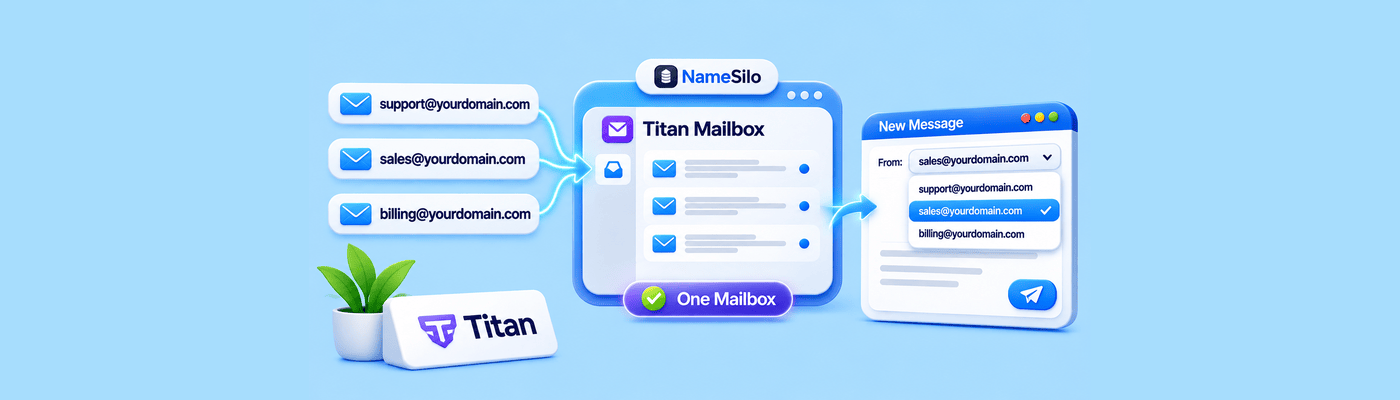
Gmail will stop supporting Send mail as for addresses hosted outside Google in January 2027, and new setups may already be restricted. If you forward your NameSilo domain email to Gmail and reply through Send mail as, forwarding keeps working for incoming mail, but replies need a mailbox such as Titan Business Email or another mail client.
What Are Send Mail As, Gmailify and POP Fetching?
Send mail as lets Gmail send messages that appear to come from another address, such as [email protected].
Gmailify applies Gmail features like spam protection and inbox organization to a third-party account.
POP fetching, called "Check mail from other accounts", pulls mail from another provider into Gmail.
Google says all three are fully removed in January 2027, and new configurations may be restricted before then. Google gives no exact day.
What Keeps Working
Feature | Status |
Forwarding to Gmail | Keeps working |
Gmail mobile apps on Android and iPhone adding outside accounts | Still supported |
Desktop clients over IMAP and SMTP | Keep working |
Send as for Google Workspace aliases | Unchanged |
Messages already imported | Stay in Gmail |
Send mail as for outside addresses | Ends in January 2027 |
Why It Matters for Forwarding Users
NameSilo's free email forwarding handles incoming mail only. Our guide to setting up email forwarding shows how it works. Many users paired it with Send mail as to reply from their domain address. After January 2027, that reply path is not supported in Gmail on the web.
Your incoming mail is not affected. Only the reply step needs a new home.
Your Options
Option | What you get |
Titan Business Email from NameSilo | A real mailbox at your domain, with webmail and apps. Professional is $2.49 per mailbox per month. |
Titan in the Gmail mobile app | Add the Titan account using IMAP and SMTP |
Desktop client | Outlook, Apple Mail or Thunderbird works with any mailbox |
Google Workspace | A full migration to Google-hosted mail |
Switching to Titan at NameSilo
Create your mailboxes in Email Manager.
Update DNS records. Open Domain Manager, click the blue globe icon, and add Titan's MX records, the SPF record and a DKIM record. Allow 15 to 20 minutes for propagation.
Remove forwarding records. Forwarding and Titan MX records cannot run on the same domain.
Recreate your aliases in Titan. Each mailbox supports up to 10 aliases, and sending from an alias needs a higher plan such as Premium. Our guide to Titan email aliases walks through it.
Visit the NameSilo Email (Titan) page for current plans.
What This Means for You
Your forwarding keeps delivering, so no mail is lost. The change affects only how you reply. Pick a mailbox or client that sends from your domain, and make the switch before January 2027.
Frequently Asked Questions
Is Gmail removing Send mail as? Only for addresses hosted outside Google. Gmail and Google Workspace addresses are unchanged.
When does Gmail stop Send mail as for other addresses? In January 2027. Google gives no exact day, and new setups may be restricted earlier.
Will my email forwarding to Gmail still work? Yes. Forwarding to Gmail keeps working for incoming mail.
Can I still reply from my domain address in Gmail? Not through Send mail as after January 2027. Reply from a Titan mailbox, the Gmail mobile app or a desktop client.
Does this affect Google Workspace users? No. Send as for Google Workspace aliases is unchanged.
What is the best alternative to Gmail Send mail as? A real mailbox at your domain. Titan Business Email from NameSilo is the simplest.
Can I use Titan email in the Gmail app? Yes. Add the Titan account to the Gmail mobile app using IMAP and SMTP.
Do I need to change DNS records if I switch to Titan? Yes. Add Titan's MX, SPF and DKIM records, and remove your forwarding records.
NameSilo Staff
The NameSilo staff of writers worked together on this post. It was a combination of efforts from our passionate writers that produce content to educate and provide insights for all our readers.