Why Does My Website Load Correctly but Forms Stop Working?

If your website loads correctly but forms stop working, the problem usually exists somewhere behind the visible webpage itself. In many cases, the form still appears functional on the frontend while something deeper in the submission chain quietly fails. This may involve JavaScript errors, blocked requests, SMTP delivery issues, spam filtering, CAPTCHA failures, or authentication problems that prevent messages from ever reaching the website owner.
Why This Problem Catches People Off Guard
One of the more frustrating things about contact form failures is how normal everything looks at first.
The website still loads.
Pages open correctly.
The submit button works.
Sometimes users even see a success message confirming the form was sent. From the outside, nothing appears broken.
Then a few days later, the business owner realizes customer inquiries have stopped arriving entirely.
This is what makes contact form failures so damaging compared to more obvious website problems. A broken homepage gets noticed immediately. A broken form can quietly fail in the background for weeks before anyone realizes legitimate messages are disappearing.
Modern Contact Forms Are More Fragile Than They Look
A lot of website owners assume a contact form is just a simple box that sends an email. In reality, modern forms rely on multiple systems working together at the same time.
The browser has to load the required scripts correctly. The form validation needs to run properly. The server has to process the submission. Then the website still needs to hand the message off to an outbound mail system that modern email providers actually trust.
If any one of those steps fails, the website may still appear perfectly healthy while the form itself quietly stops functioning underneath.
What often surprises people is that the failure does not always happen where they expect. The form itself may technically submit successfully, but the email later gets filtered, rejected, delayed, or blocked somewhere deeper in the delivery chain.
That disconnect between “the website looked fine” and “the message never arrived” is where most of the confusion comes from.
Why WordPress Sites Experience This So Often
WordPress makes website functionality easy to extend, but that flexibility also creates more opportunities for things to break unexpectedly.
A form plugin may depend on JavaScript that becomes delayed by an optimization plugin. A caching system may accidentally interfere with form sessions. A security plugin may quietly block submission requests it considers suspicious. Sometimes a CDN optimization setting changes how scripts load and suddenly forms begin behaving inconsistently across browsers or devices.
The difficult part is that these failures rarely look dramatic. There is usually no giant error screen warning the website owner that forms stopped working.
Instead, the website keeps functioning just well enough to hide the problem.
That is why form failures often appear “random” even though there is usually a specific infrastructure issue underneath.
The Email Side Is Usually Where Problems Begin
Oddly enough, many contact form failures are not actually form problems at all. The issue often starts later, when the website tries to send the message outward as an email.
Many WordPress websites still rely on PHP mail by default because it works automatically without requiring much setup. The problem is that modern mail providers have become increasingly strict about trust and authentication.
A message sent through generic server mail may technically leave the website successfully while still getting flagged as suspicious by Gmail, Outlook, Yahoo, or corporate spam filters further downstream.
From the website owner’s perspective, this feels irrational. The form appeared successful. No error message appeared. Yet the inquiry never shows up.
In reality, the email infrastructure simply did not trust the message enough to deliver it cleanly.
Why SMTP Changes Everything
This is usually the point where website owners discover the difference between generic server mail and authenticated SMTP delivery.
SMTP adds legitimacy to the delivery process. Instead of sending mail anonymously through basic server functions, the website authenticates itself properly using real domain-based credentials and trusted outbound mail infrastructure.
That authentication matters far more today than it did years ago.
Modern email systems constantly evaluate:
- sender reputation
- authentication alignment
- domain trust
- outbound behavior
- infrastructure reputation
Without strong trust signals, even perfectly legitimate form submissions can quietly disappear into spam folders or get rejected entirely.
Once SMTP is configured properly, many websites suddenly become dramatically more reliable almost overnight.
Why Titan Mail Fits Naturally Into This Workflow
This is also why many WordPress users end up connecting their forms through SMTP services like Titan Mail rather than relying entirely on default PHP mail behavior.
Using authenticated SMTP through a domain-based mailbox helps stabilize the delivery chain considerably. Instead of generic outbound mail, the website now sends messages through authenticated infrastructure tied directly to the domain itself.
That creates stronger trust signals and more consistent inbox placement.
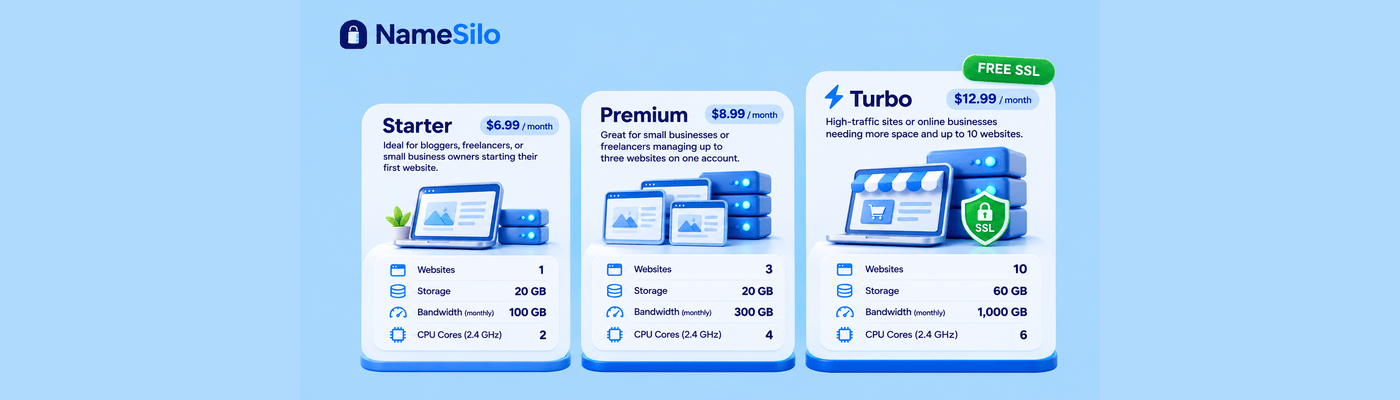
For WordPress websites, plugins like WP Mail SMTP are commonly used to route submissions securely through Titan Mail’s SMTP system. Since NameSilo hosting plans include a free Titan Mail plan, many users already have access to a more reliable outbound mail setup without realizing it.
What makes this especially valuable is that the improvement is often invisible once configured correctly. Forms simply start behaving consistently again.
Forms Can Also Fail Before Submission Happens
Not every problem happens during email delivery. Sometimes the form never submits properly in the first place.
Modern forms rely heavily on browser-side scripts, and those scripts can fail in surprisingly subtle ways.
A page may still load normally while a required JavaScript dependency quietly breaks earlier in the loading sequence. The submit button still appears clickable. The form still looks complete. But nothing meaningful actually happens underneath when the visitor presses “Send.”
Browser extensions can make this even more unpredictable. Privacy tools, script blockers, aggressive ad blockers, or hardened browser settings sometimes interfere with CAPTCHA systems, session validation, or form submission scripts without the visitor realizing it.
This is one reason forms may work perfectly in Chrome while failing entirely in another browser.
Security Systems Sometimes Block Legitimate Users
Another increasingly common issue involves anti-spam and anti-bot protection systems becoming too aggressive.
Modern forms frequently depend on CAPTCHA verification, firewall filtering, behavioral analysis, token validation, and bot-scoring systems designed to stop spam submissions.
Most of the time these protections work quietly in the background.
Occasionally though, they begin filtering legitimate visitors instead.
A business owner may tighten security settings after receiving spam attacks, only to later discover real users are now failing verification checks silently during form submission.
Again, the website itself still appears operational.
Only the invisible submission pipeline breaks.
Why Businesses Often Discover the Problem Too Late
The most dangerous part of contact form failures is that there is usually no immediate warning sign.
Traffic continues arriving.
The website remains online.
Analytics still look healthy.
Meanwhile:
- leads quietly disappear
- quote requests never arrive
- booking inquiries fail
- support requests vanish
Because nothing visibly crashes, many businesses do not realize the problem exists until conversion numbers suddenly drop or customers complain they never received a reply.
Final Thoughts
When a website loads correctly but forms stop working, the visible website is often only a small part of the real system involved.
Modern contact forms depend on browser behavior, scripts, authentication systems, outbound email infrastructure, spam filtering, and trust-based delivery systems all functioning together correctly at the same time. If any one of those layers fails quietly, the website may continue looking completely normal while customer messages disappear underneath.
That is why form failures feel so confusing. The front-end experience often hides the infrastructure problem entirely.
NameSilo Staff
The NameSilo staff of writers worked together on this post. It was a combination of efforts from our passionate writers that produce content to educate and provide insights for all our readers.