
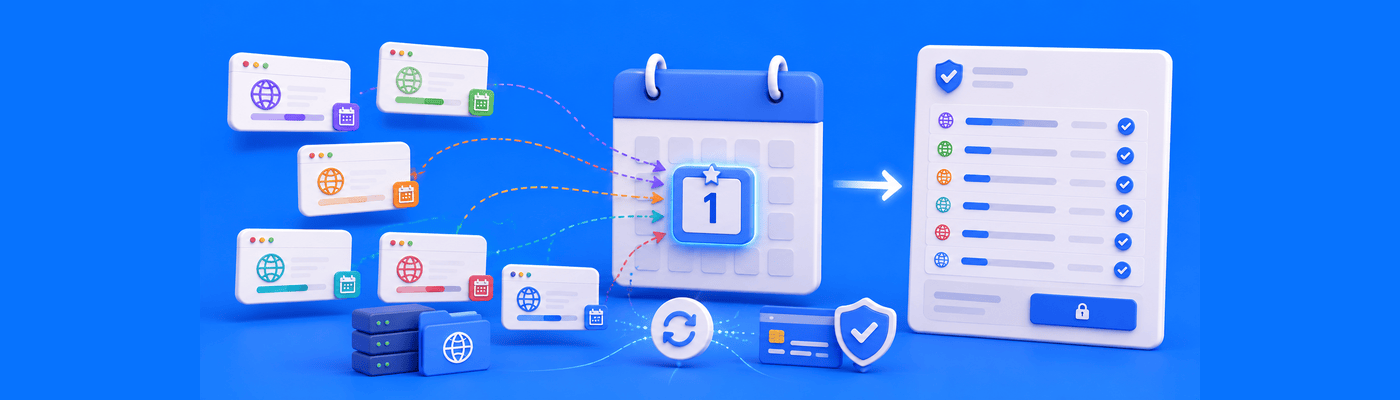
Domain Name Search
How to Synchronize Domain Renewal Dates for Bulk Portfolios
Learn how to align domain renewal dates using prorated extensions, simplifying billing and renewal management across large domain portfolios.
A little insight goes a long way. Find your next good read.
Learn how to align domain renewal dates using prorated extensions, simplifying billing and renewal management across large domain portfolios.

Learn how to block bad bots and malicious user agents with .htaccess, return 403 errors, and protect your server from aggressive crawlers.

Fix Chrome’s “Not Secure” warning by installing an SSL certificate, forcing HTTPS, and checking your website for mixed HTTP content.

A 550 5.1.1 error means the recipient mailbox doesn't exist, a permanent hard bounce, not a sender-side problem. Common causes: typos or a deleted account after an employee leaves. Remove the address from your list immediately after the first bounce to protect your domain's sending reputation.

Enable cPanel's Hotlink Protection (Security section) to block other sites from embedding your images directly. Add your domains and subdomains to the allowed list, and enable blank-referrer requests, not a Googlebot referrer whitelist, since search crawlers request images with no referrer at all, to keep image SEO intact.
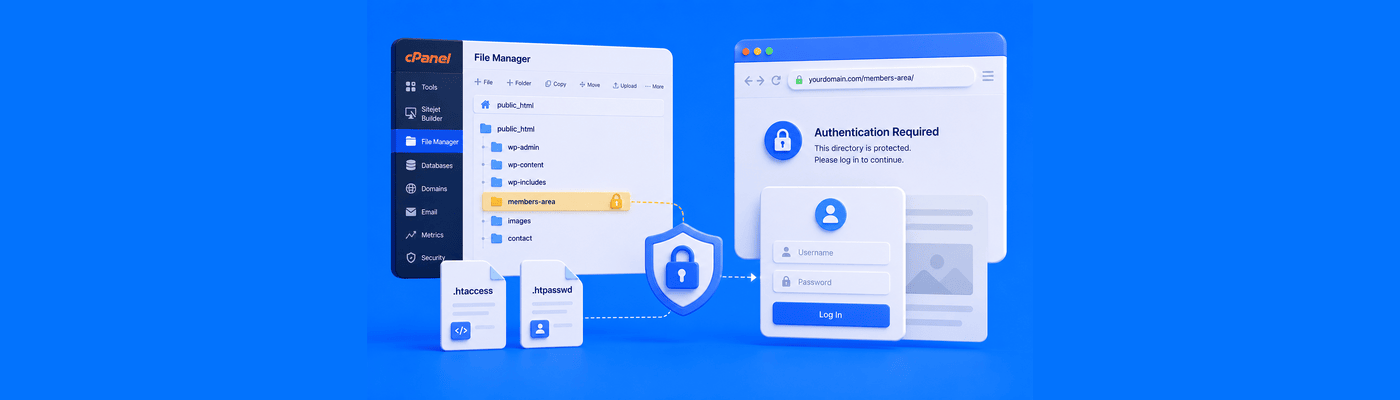
Use cPanel's Directory Privacy (Files section) to add HTTP Basic Authentication to any folder via .htaccess and .htpasswd. Never protect public_html itself. If protecting /wp-admin/, whitelist admin-ajax.php, though some AJAX calls may still intermittently break; consider protecting a narrower subdirectory instead.
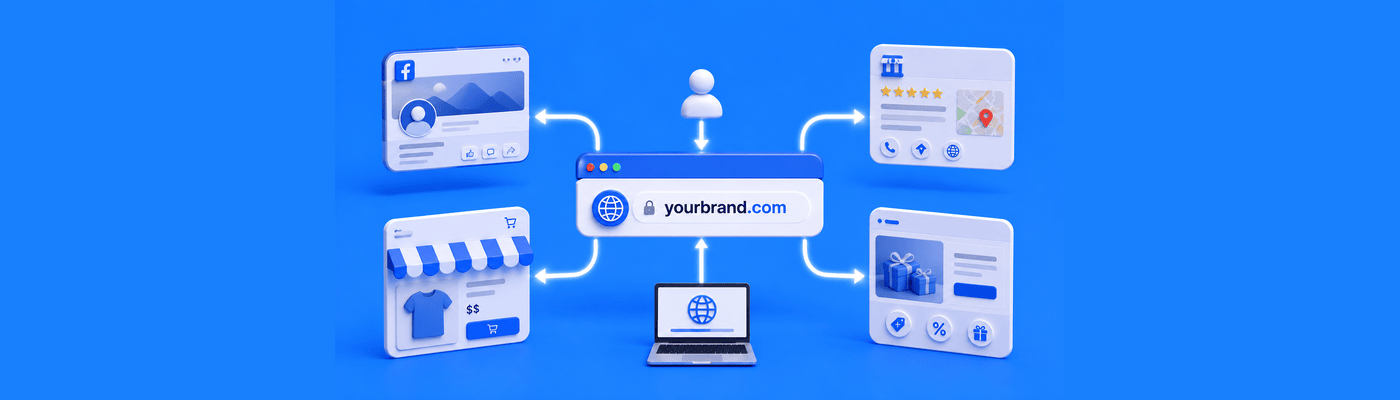
Discover four ways to use domain forwarding to connect a .com domain to social media, online directories, stores, and promotional pages.
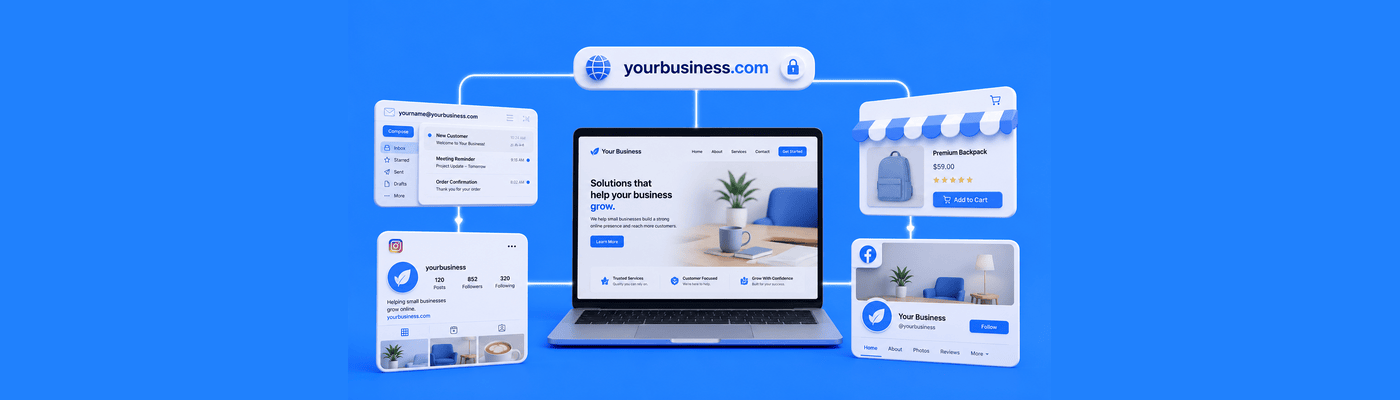
Learn how a .com domain, website, business email, and social media can help your small business build a stronger online presence.

A DS record at the parent registry authenticates your domain's DNSSEC key, establishing a chain of trust that stops cache poisoning and MITM attacks. Golden rule: always remove the DS record before changing nameservers or DNS hosts, or every validating resolver returns SERVFAIL and your domain disappears.
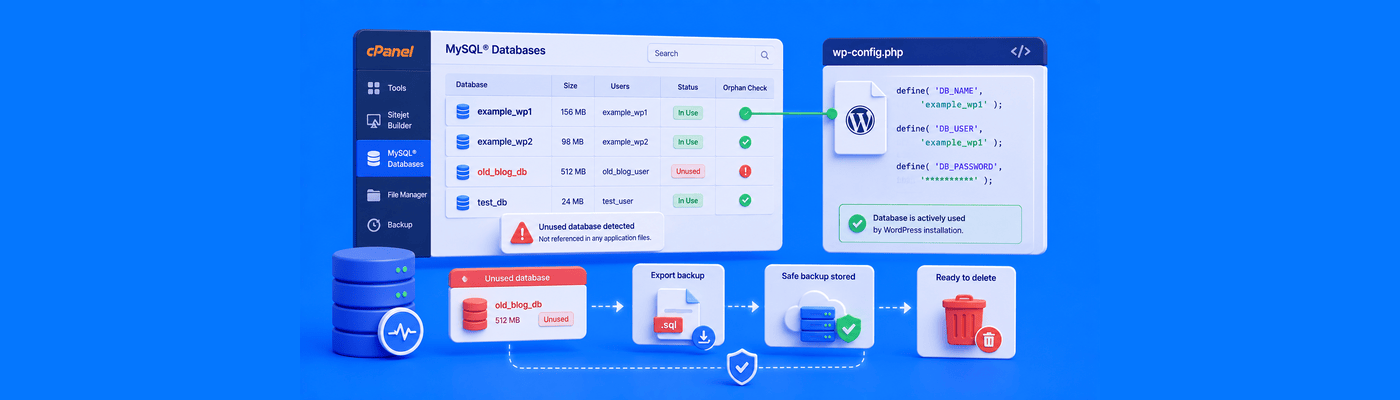
Before deleting any MySQL database in cPanel, confirm your live site's active database by checking DB_NAME in wp-config.php. Export a .sql backup first, since cPanel deletion is permanent. Also remove orphaned database users, and drop only specific tables if a database is shared across multiple sites.
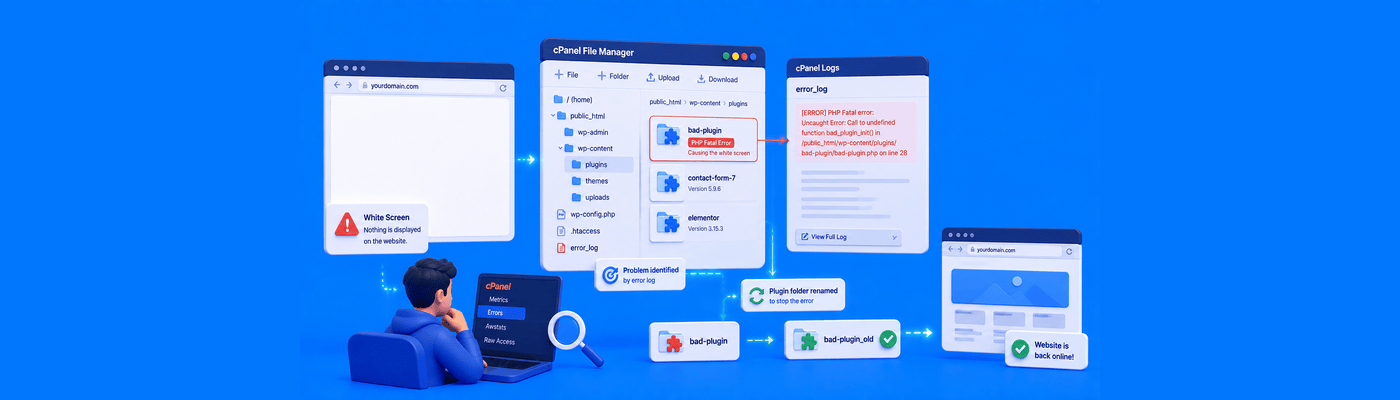
Fix WSOD by enabling WP_DEBUG with WP_DEBUG_DISPLAY set to false, so errors log safely to wp-content/debug.log without exposing them to visitors. Identify the broken plugin from the log, then rename its folder in wp-content/plugins/ via cPanel File Manager to instantly restore your site without data loss.
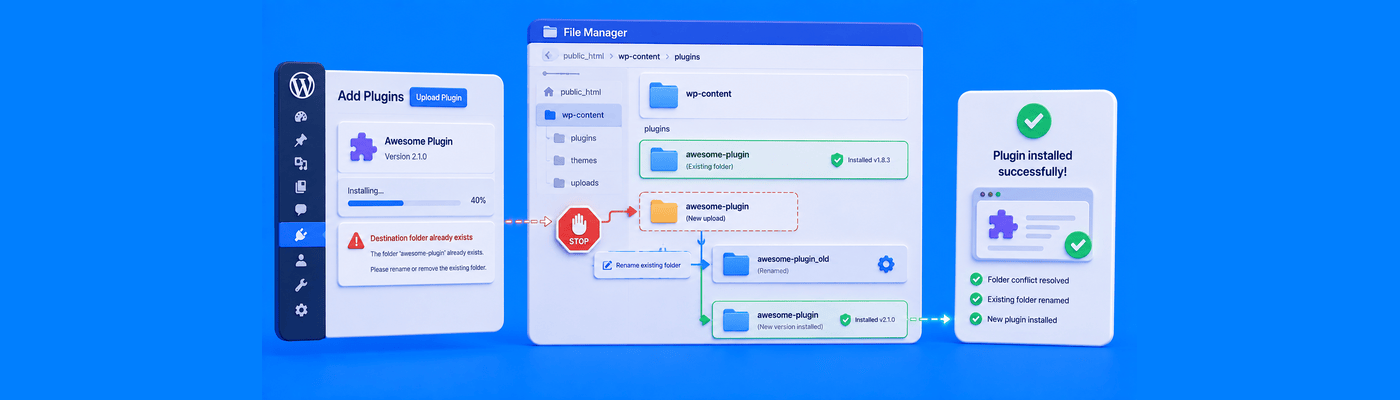
Fix this error by renaming (not deleting) the conflicting folder in wp-content/plugins or wp-content/themes via cPanel File Manager, then retrying the install. Since WordPress 5.5, dashboard zip uploads also offer a one-click "Replace current with uploaded" option to resolve the same conflict automatically.