
Your next big idea starts with a name. Find yours
All articles
KEEP YOUR IDEAS GROWING

NameSilo Blog · Page 11

A little insight goes a long way. Find your next good read.

1,815 articles

Narrow your search

Keep typing, then choose where to search. Articles can match any checked field.

Search in
Sort by
Modern SaaS illustration showing a cPanel primary domain change, comparing addon and primary domains, with server migration, website backups, hosting support, databases, and email configuration.
Websites & Hosting

How to Change Your Primary Domain Name in cPanel

Changing a cPanel primary domain requires hosting support, not self-service, because it's a WHM-level root account change. At NameSilo, request via 24/7 live chat; the hosting team rebuilds the plan, typically within a few hours. Back up all files and databases first; data is not recoverable.
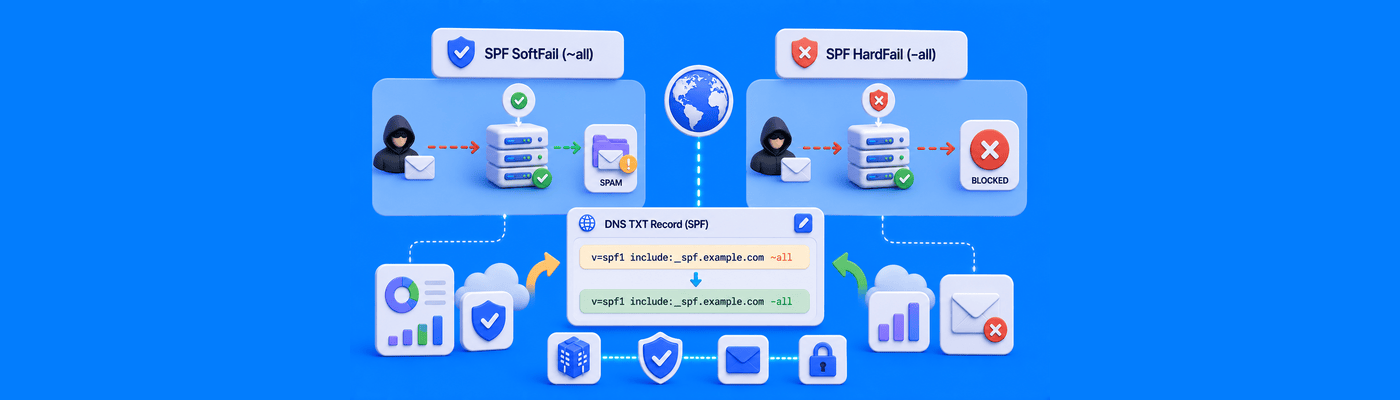

Modern SaaS illustration comparing SPF SoftFail (~all) and HardFail (-all), showing DNS TXT record configuration, spam filtering versus email rejection, and email authentication with SPF and DMARC.
DNS

What is an SPF Record SoftFail vs. HardFail (~all vs. -all)?

SPF ~all (SoftFail) marks unauthorized mail as suspicious but delivers it to spam. SPF -all (HardFail) rejects it outright. Start new deployments with ~all, monitor DMARC reports for 2-4 weeks, then switch to -all once your sender list is confirmed complete.

Modern SaaS illustration showing a custom domain connected to a Cargo portfolio using nameserver delegation, with registrar nameserver settings and Cargo Publish Settings for professional portfolio branding.
DNS

How to Connect a Custom Domain to a Cargo Portfolio

Cargo's current platform uses nameserver delegation, not A records. Point your domain to ns1.cargo.site and ns2.cargo.site from NameSilo's Domain Manager, then add the domain in Cargo's Publish Settings. Requires an active Site Upgrade. Email records are preserved automatically.

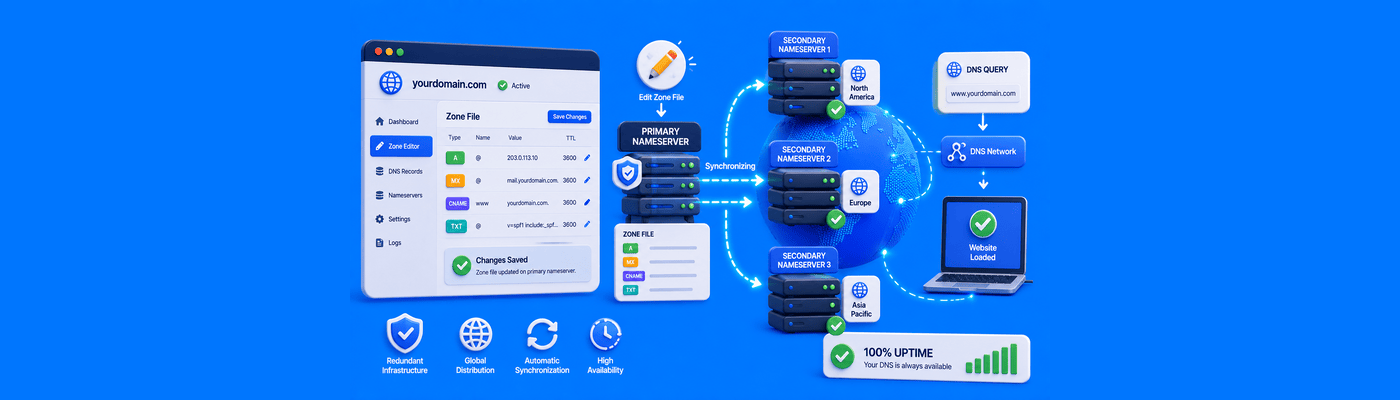
Modern SaaS illustration showing primary and secondary nameservers synchronizing DNS records with redundant servers, zone transfers, and distributed DNS infrastructure for reliable website uptime.
DNS

What is the Difference Between Primary and Secondary Nameservers?

A primary nameserver is the writeable master zone file; a secondary is an automatic read-only replica synced via zone transfer. Both typically answer live traffic simultaneously, not just as passive backup. Domains require at least two nameservers; NameSilo supports up to 13 per domain.

Modern SaaS illustration showing MX record priority configuration, primary and backup mail servers, DNS email routing, automatic failover, and reliable email delivery through prioritized MX records.
DNS

What is MX Record Priority and How Does It Work

MX priority determines mail server order; lower numbers are tried first. Google Workspace now uses a single record (smtp.google.com, priority 1); other providers like Titan Mail use tiered priorities (10, 20). Never give two different providers the same priority; mail will split unpredictably.

Modern SaaS illustration showing how to create a Coming Soon page in cPanel using File Manager, an index.html file, Site Publisher, and a website hosting dashboard.
Websites & Hosting

How to Create a "Coming Soon" Page Using cPanel

Create a coming soon page in cPanel via Sitepro site builder or manually in File Manager: public_html, create index.html in lowercase, paste basic HTML. Delete existing default index files first. All NameSilo hosting plans include both tools.

Modern SaaS illustration showing how to connect a custom domain to Adobe Portfolio using A records, DNS configuration, automatic SSL provisioning, and a professional online creative portfolio.
DNS

How to Connect a Custom Domain to an Adobe Portfolio

Connect custom domain to Adobe Portfolio: add 4 A records in DNS (2 IPs × root and www). Find IPs in Portfolio Settings → Domain Name. Delete conflicting records first. Do not re-enter domain more than 5 times. SSL provisions automatically. 24-48 hours to propagate.

Modern SaaS illustration showing a complete DNS audit with A, AAAA, CNAME, MX, TXT, and NS record validation, email authentication checks, dangling CNAME detection, and DNS security monitoring.
DNS

How to Run a Complete DNS Audit on Your Domain Name

DNS audit checklist: verify A records, audit CNAMEs for dangling records (primary subdomain takeover vector), validate SPF/DKIM/DMARC, check nameserver consistency. Use MXToolbox and SecurityTrails. Remove all records from decommissioned services. Audit quarterly.

Modern SaaS illustration showing a public Wi-Fi captive portal intercepting DNS requests, HTTPS connection issues, captive portal login page, and secure website access after network authentication.
DNS

Why Your Website Won't Load on Public Wi-Fi (DNS Captive Portals)

Public Wi-Fi captive portals intercept DNS and redirect to a login page. HTTPS blocks this redirect causing SSL errors. Fix: disable VPN and mobile data, visit http://neverssl.com to trigger the portal. Custom DNS like 8.8.8.8 can also block portal detection.

Modern SaaS illustration showing how to connect a custom domain to Render.com using A and CNAME DNS records, automatic Let's Encrypt SSL, and website deployment through a cloud hosting platform.
DNS

How to Connect a Custom Domain to Render.com

Connect custom domain to Render: A record @ → 216.24.57.1, CNAME www → yourapp.onrender.com. Delete AAAA records first. Render uses IPv4 only. Cloudflare users: use CNAME, set DNS only mode before verification. SSL provisions automatically via Let's Encrypt.

FROM IDEA TO REALITY

You’ve got the idea.
Give it a name.

Find a domain that feels like you. Build what comes next.