How to Change Your Primary Domain Name in cPanel

To change your primary domain name in cPanel, you must request the modification from your web hosting provider's account center. Because cPanel does not allow users to modify the root domain field within the user panel for security reasons, your host must reassign the backend configuration at the server level.
Addon Domain vs Primary Account Apex
These are structurally different operations, and confusing them causes most rebrand headaches:
Action | What It Does | Access Level |
Add an Addon Domain | Attaches a second domain alongside your existing primary | Available in cPanel |
Change Primary Domain | Reassigns the root account identity itself | Server-side only, not exposed in cPanel |
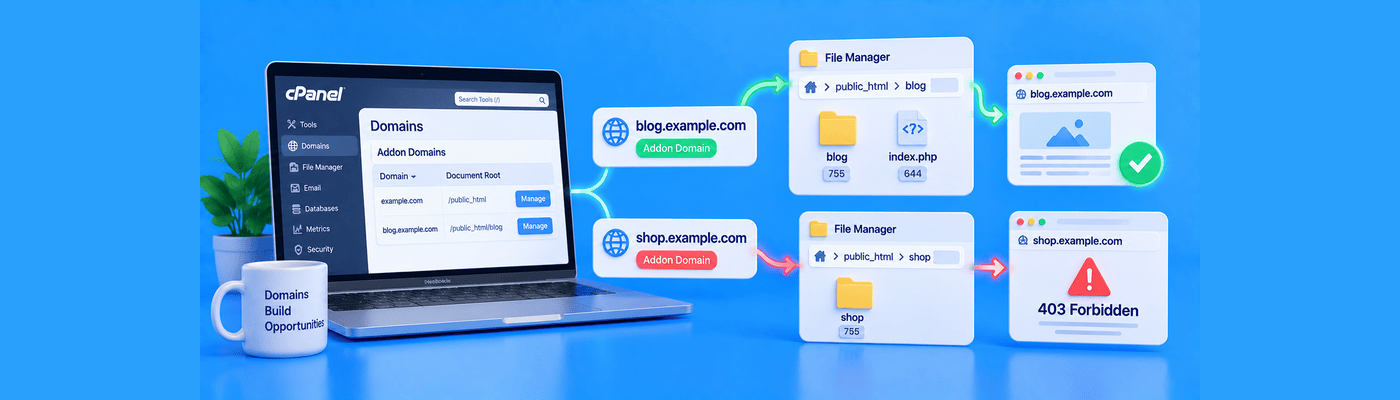
The addon domain trap: Adding newbrand.com as an addon domain feels like progress, but your cPanel username, database prefixes, and core credentials remain tied to oldbrand.com. Every login, file path, and support ticket still references the old name underneath. A true rebrand requires the primary domain itself to change.
Why It Matters: Preventing Broken Paths
Your primary domain is woven into the account structure:
- public_html root directory ownership
- Default email account naming ([email protected])
- Database and FTP username prefixes
- SSL certificate issuance records
Rebranding without reassigning the primary domain leaves your backend permanently anchored to a name your business no longer uses.
The Technical Block: Why You Can't Self-Serve This
The function that changes a primary domain lives inside WHM (Web Host Manager), the server administration layer above individual cPanel accounts. NameSilo hosting is shared hosting, so every customer has cPanel access only. WHM is managed exclusively by our hosting engineers and never exposed to any customer tier. This isn't specific to your plan; it's how shared hosting is architected industry-wide, since one WHM instance governs many accounts on the same server.
At NameSilo, primary domain changes go through support rather than a self-service toggle. Because the primary domain touches file structure, databases, and email so deeply, we rebuild the environment cleanly rather than patch it live, avoiding the broken paths and certificate mismatches that plague DIY attempts elsewhere.
Pre-Migration Checklist
Because a primary domain change rebuilds the hosting plan from scratch, preparation is essential:
Back up everything first. Download a full backup of your website files and export all databases. Data is not recoverable once the change is processed.
Save your active email accounts. Note every mailbox and any client-side configuration you'll need to recreate.
Remove the new domain if it is already parked as an addon. If newbrand.com exists as an addon domain, detach it before the swap, or the request will conflict.
How to Request the Change at NameSilo
Step 1: Complete the backup checklist above.
Step 2: Open NameSilo's 24/7 live chat from your account dashboard.
Step 3: Request a primary domain change and provide your current and new domain names.
Step 4: Our agent opens a support ticket and routes it to the hosting team.
Step 5: Configuration typically completes within a few hours. Weekend requests may take longer.
Step 6: Once notified, restore your backed-up files and databases to the newly configured environment.
Post-Migration Remediation
After the swap completes, check for hardcoded references to the old domain:
- CMS database entries (wp_options site URL fields)
- Absolute links inside theme files or page builders
- Email client configurations pointing to old mail server hostnames
- API keys or webhooks referencing the old domain
What This Means for You
NameSilo Hosting handles primary domain reassignments through our support team to ensure a clean, error-free result rather than a risky in-place edit. Back up your site fully before requesting the change, then reach out via live chat to get started.
Frequently Asked Questions
Can I change my cPanel main domain name myself?
No. This requires server-level access restricted to hosting support.
What happens to my files when I swap the primary domain?
The plan rebuilds fresh. Back up all files before requesting the change.
Will changing my primary cPanel domain delete my emails?
Yes, unless backed up first. Save all mailboxes before the swap.
What is the difference between an addon domain and a primary domain?
Addon domains attach alongside; primary domain reassigns the root account.
How do I update database links after a domain swap?
Update CMS site URL fields and hardcoded absolute links manually.
Why is my new primary domain showing an error page?
DNS propagation or file restoration may still be in progress.
Should I back up cPanel before changing the main domain?
Yes, always. Data is not recoverable after the change is processed.
How does NameSilo process hosting domain reassignments?
Via 24/7 live chat, which opens a support ticket for the hosting team.
NameSilo Staff
The NameSilo staff of writers worked together on this post. It was a combination of efforts from our passionate writers that produce content to educate and provide insights for all our readers.