


Support Guides1 min
Mastering DNS: Create DNS Records
NS
NameSilo Staff4/25/2024
Share
This comprehensive guide leads you through the process of creating DNS records on NameSilo. For a deeper understanding of record types, explore our previous article on ‘Record Types‘ to enhance your proficiency in tailoring A, CNAME, MX and various other records with ease.
Steps
Login to your NameSilo Account
- Access your NameSilo account using your credentials.


Open Domain Manager
- Locate and open the Domain Manager from the left sidebar.

Access DNS Manager
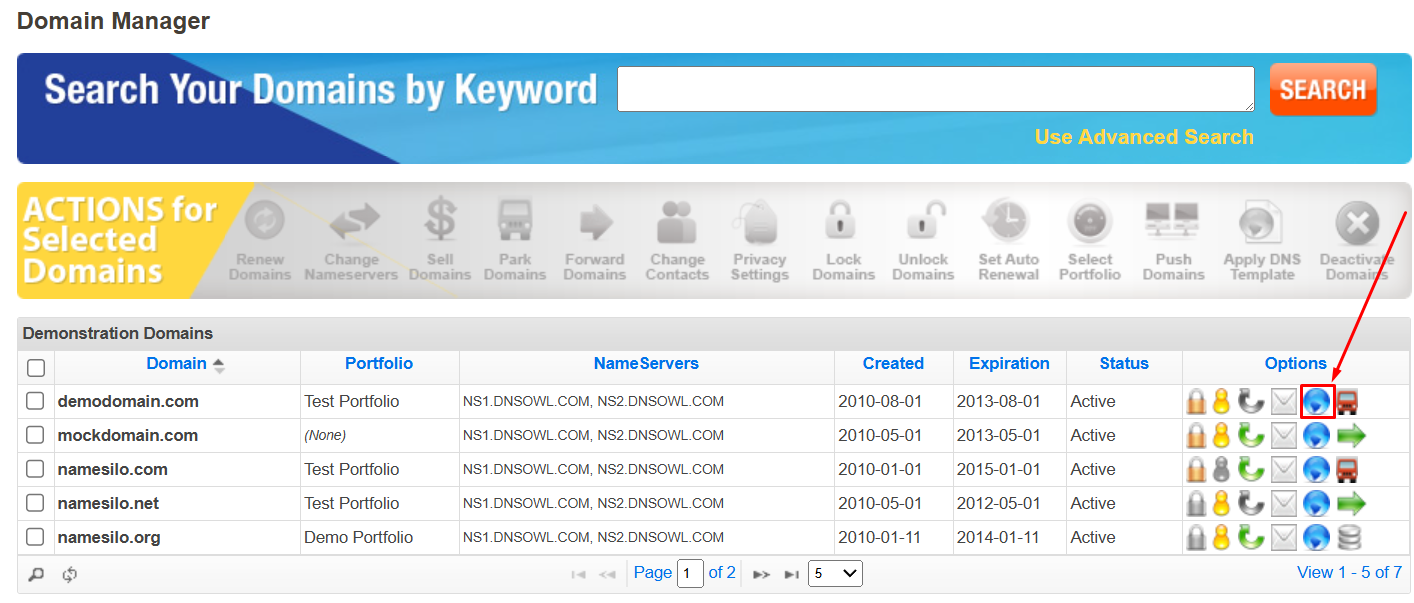
- Make sure that you are using our default or premium DNSOWL name servers.
- Click on the blue globe icon to open the DNS Manager.
Select Record Type
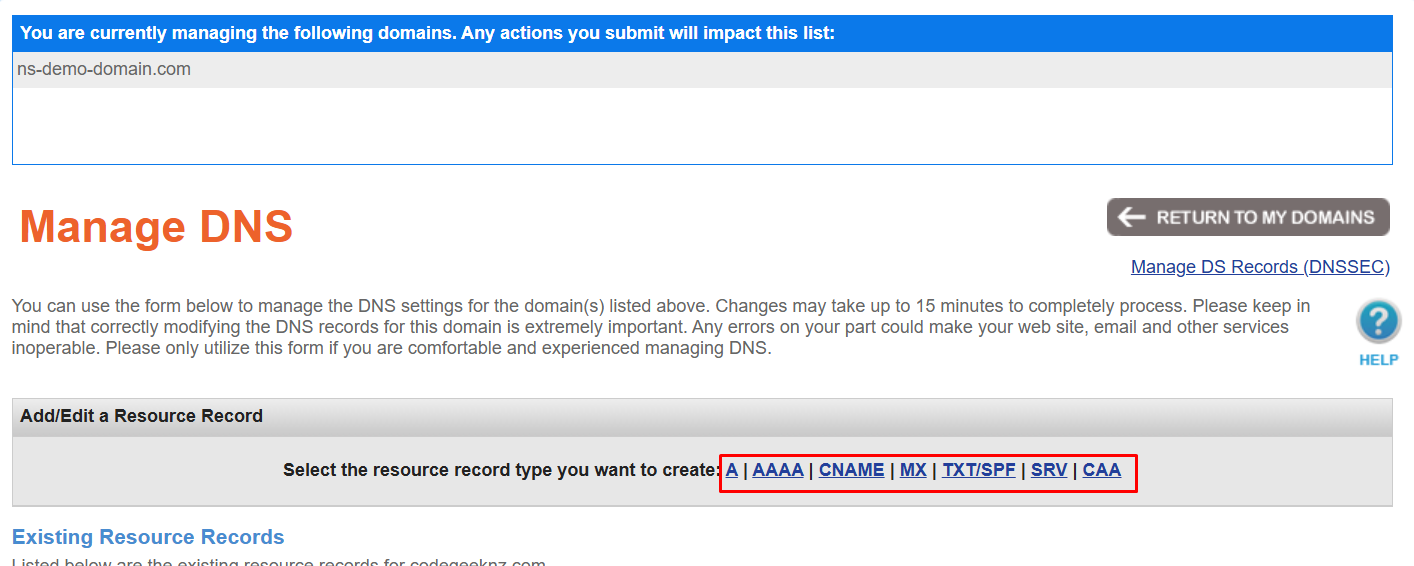
- Choose the desired record type, such as A or CNAME.
Add Record Values
- Input the necessary values for the selected record type and click submit.

Note: It’s important to note that we do not support an empty or @ or * hostname for CNAME records. However, you can create a CNAME record for the “www” hostname and utilize our DNS template ‘WWW-redirect’ for redirection. For a detailed guide on using DNS templates, refer to this article.
Propagation Period
- Please exercise patience for approximately 15-20 minutes to allow the DNS records to propagate online. For more information on propagation, refer to our previous article.
With this guide, you can confidently create the desired DNS records for your domain. Happy website building!
.png&w=2048&q=75)
NameSilo StaffThe NameSilo staff of writers worked together on this post. It was a combination of efforts from our passionate writers that produce content to educate and provide insights for all our readers.
More articleswritten by NameSilo


