Your next big idea starts with a name. Find yours
All articles
KEEP YOUR IDEAS GROWING

NameSilo Staff

A little insight goes a long way. Find your next good read.

1,710 articles

Narrow your search

Keep typing, then choose where to search. Articles can match any checked field.

Search in
Sort by
Illustration of password protecting a web directory in cPanel using Directory Privacy and HTTP authentication to restrict access to private website folders.
Websites & Hosting

How to Password Protect Web Directories in cPanel

Use cPanel's Directory Privacy (Files section) to add HTTP Basic Authentication to any folder via .htaccess and .htpasswd. Never protect public_html itself. If protecting /wp-admin/, whitelist admin-ajax.php, though some AJAX calls may still intermittently break; consider protecting a narrower subdirectory instead.


Illustration of a DS record linking a parent domain registry to a DNSSEC DNSKEY, creating a secure chain of trust that verifies DNS responses.
DNS

What Is a DS Record and How Does It Enable DNSSEC?

A DS record at the parent registry authenticates your domain's DNSSEC key, establishing a chain of trust that stops cache poisoning and MITM attacks. Golden rule: always remove the DS record before changing nameservers or DNS hosts, or every validating resolver returns SERVFAIL and your domain disappears.

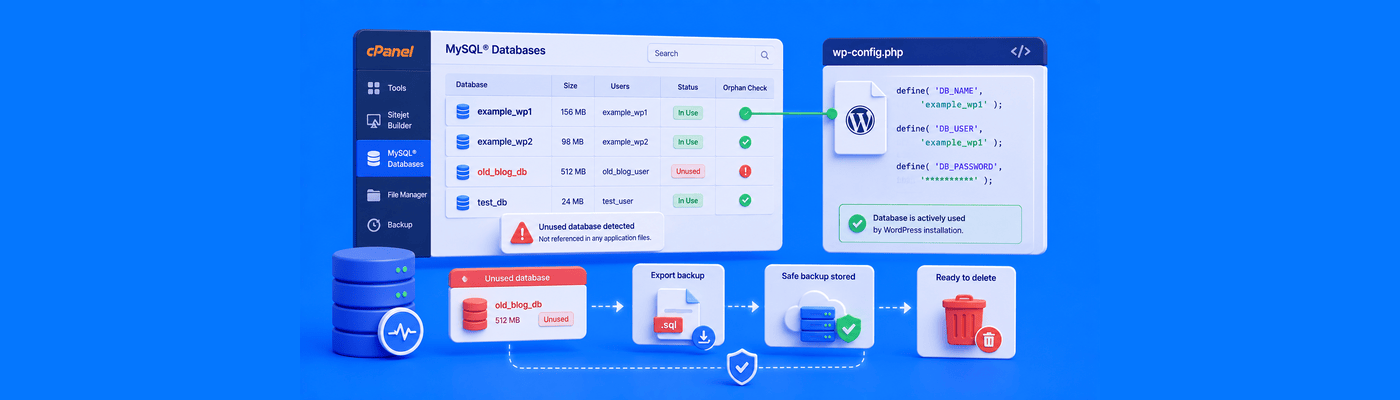
Illustration of auditing unused MySQL databases in cPanel by checking the WordPress DB_NAME, exporting an SQL backup, and safely deleting an obsolete database.
Websites & Hosting

How to Audit and Delete Unused MySQL Databases in cPanel

Before deleting any MySQL database in cPanel, confirm your live site's active database by checking DB_NAME in wp-config.php. Export a .sql backup first, since cPanel deletion is permanent. Also remove orphaned database users, and drop only specific tables if a database is shared across multiple sites.

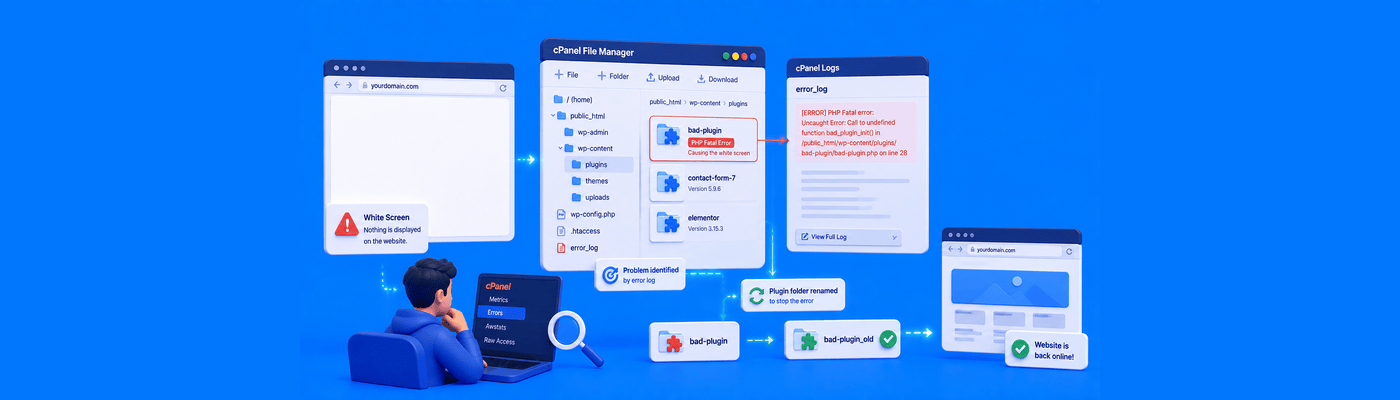
Illustration of fixing the WordPress White Screen of Death by checking PHP error logs, identifying a broken plugin, and renaming its folder in cPanel File Manager.
Websites & Hosting

How to Fix "WordPress White Screen of Death" (WSOD)

Fix WSOD by enabling WP_DEBUG with WP_DEBUG_DISPLAY set to false, so errors log safely to wp-content/debug.log without exposing them to visitors. Identify the broken plugin from the log, then rename its folder in wp-content/plugins/ via cPanel File Manager to instantly restore your site without data loss.

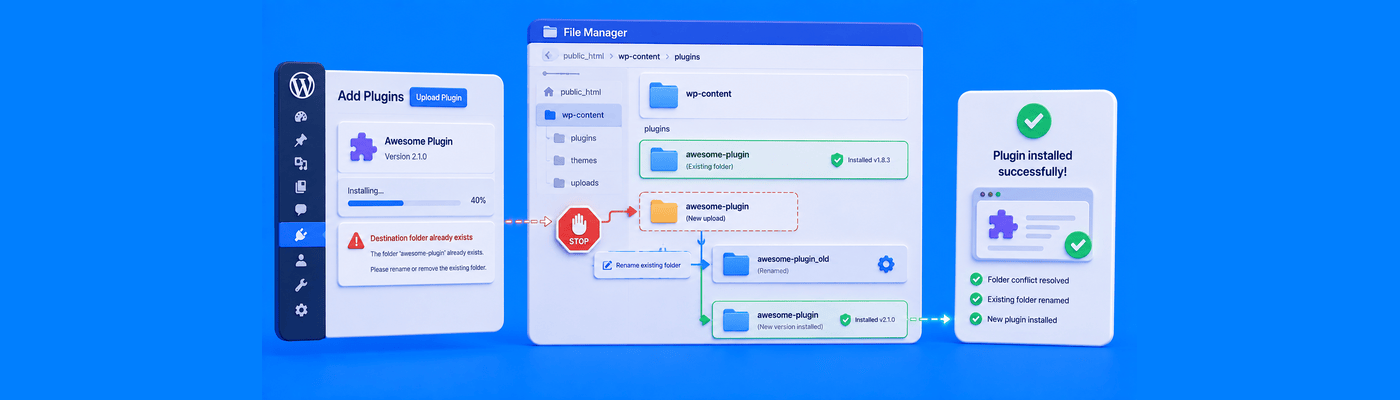
Illustration of fixing the WordPress “Destination Folder Already Exists” error by renaming a conflicting plugin folder in wp-content.
Websites & Hosting

How to Fix "Destination Folder Already Exists" in WordPress

Fix this error by renaming (not deleting) the conflicting folder in wp-content/plugins or wp-content/themes via cPanel File Manager, then retrying the install. Since WordPress 5.5, dashboard zip uploads also offer a one-click "Replace current with uploaded" option to resolve the same conflict automatically.

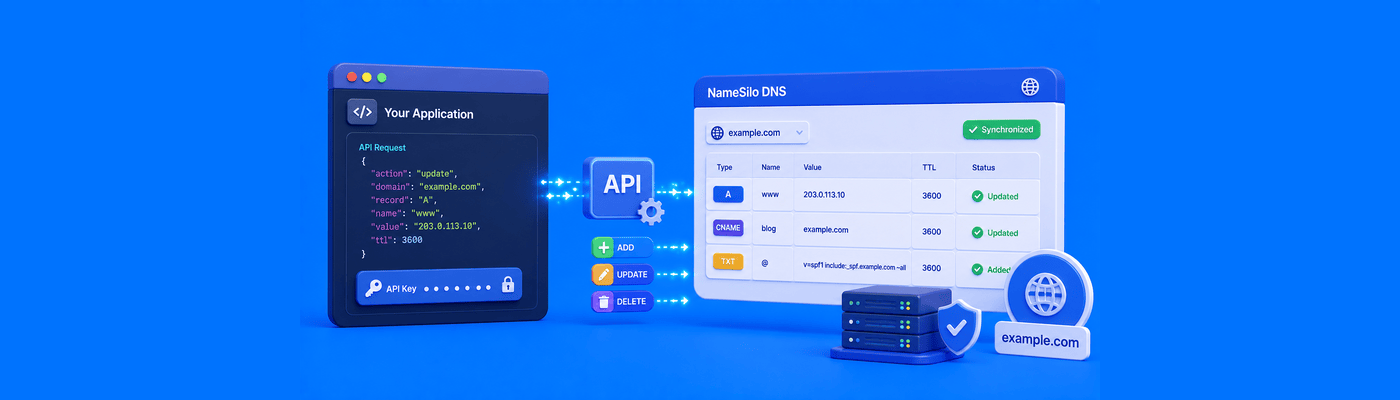
Illustration of programmatically adding and updating DNS records using the NameSilo API.
DNS

Updating DNS Records Programmatically via the NameSilo API

Automate DNS management with NameSilo's API using dnsListRecords, dnsAddRecord, dnsUpdateRecord, and dnsDeleteRecord. Always call dnsListRecords first to retrieve the record_id before updating or deleting; note it's passed back as rrid in update and delete calls. Useful for DDNS and Let's Encrypt wildcard verification.

Illustration of HSTS forcing a website to use secure HTTPS connections and blocking insecure HTTP access.
Websites & Hosting

How to Fix the "508 Resource Limit Is Reached" Error

A 508 error means the server's resource isolation system throttled your account after hitting its CPU, memory, or Entry Process limit, not a server crash. Check cPanel Resource Usage to identify which specific limit was hit before making changes. Unlimited bandwidth does not prevent this error; CPU and bandwidth are separate resources.

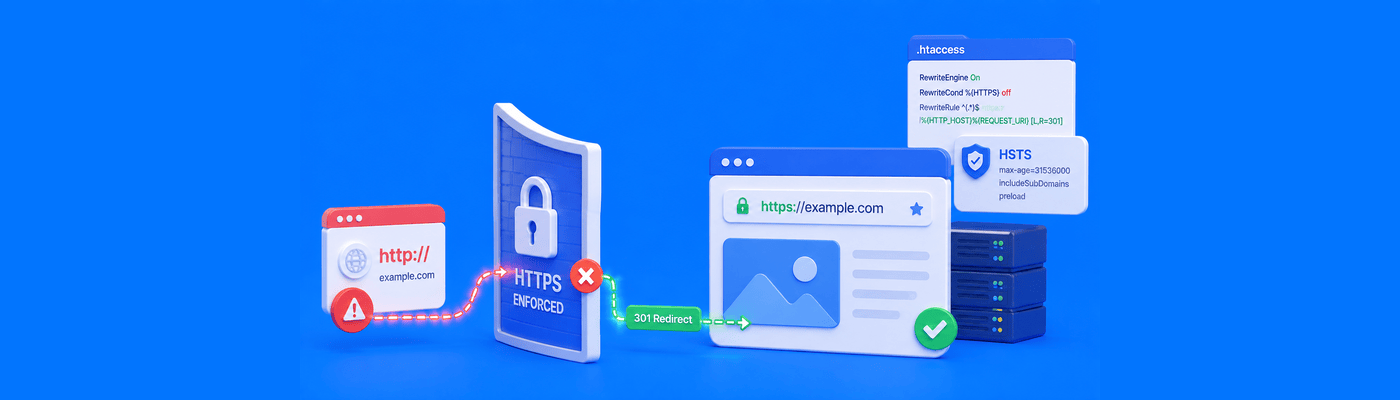
Illustration of HSTS forcing a website to use secure HTTPS connections and blocking insecure HTTP access.
Websites & Hosting

How to Implement HSTS (HTTP Strict Transport Security)

Add Strict-Transport-Security: max-age=31536000; includeSubDomains; preload to .htaccess to force HTTPS-only connections and close the first-hop vulnerability standard redirects leave open. Warning: a long max-age combined with an expired SSL certificate hard-locks visitors out with no override for up to a year.

Illustration of restoring a MySQL database from an SQL backup using cPanel or phpMyAdmin.
Websites & Hosting

How to Restore a MySQL Database from a cPanel Backup

Restore a MySQL database via cPanel's Backup tool, or manually through phpMyAdmin: select the database, drop existing tables first, then import your .sql file. Skipping the drop step causes a "Table already exists" error. Files over ~50MB need SSH import instead of the browser upload.

Illustration of DMARC p=none monitoring email authentication failures and collecting reports while allowing messages to continue to the recipient's inbox.
Privacy & Security

What Does DMARC p=none Mean? (Monitoring Mode)

DMARC p=none is a monitoring-only mode: failed mail still delivers, and aggregate reports are collected instead. It provides zero protection against spoofing on its own. Best practice is a minimum 90-day monitoring period before advancing to p=quarantine. Never leave DMARC on p=none permanently.

FROM IDEA TO REALITY

You’ve got the idea.
Give it a name.

Find a domain that feels like you. Build what comes next.